Find accessibility issues and fix contrast on any page.
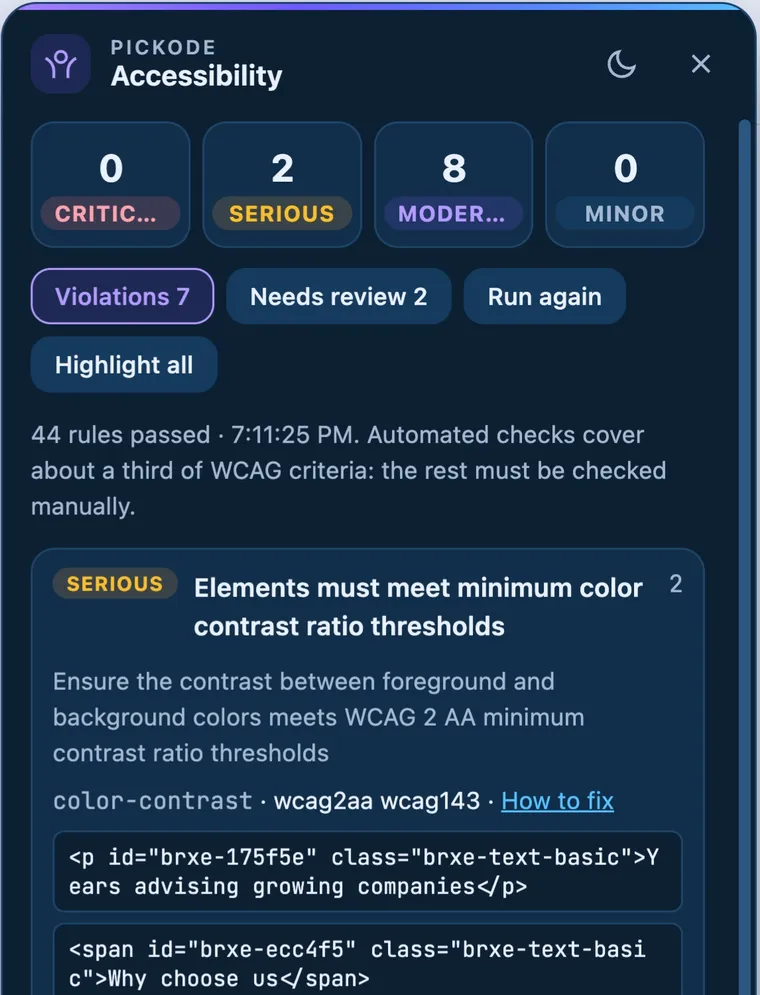
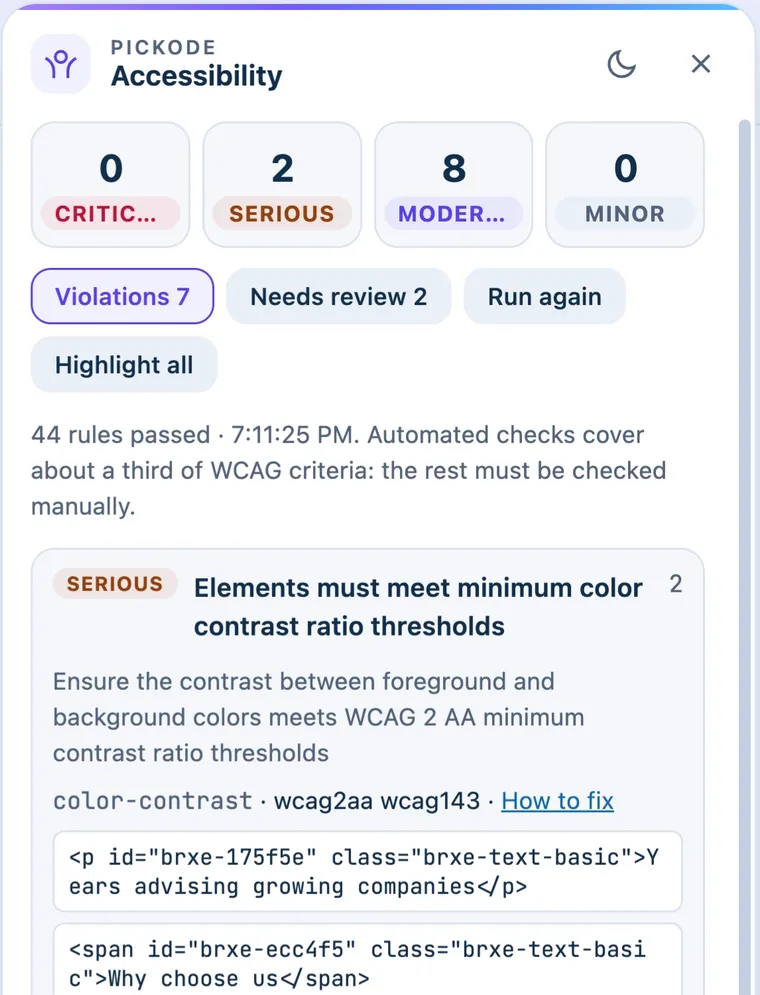
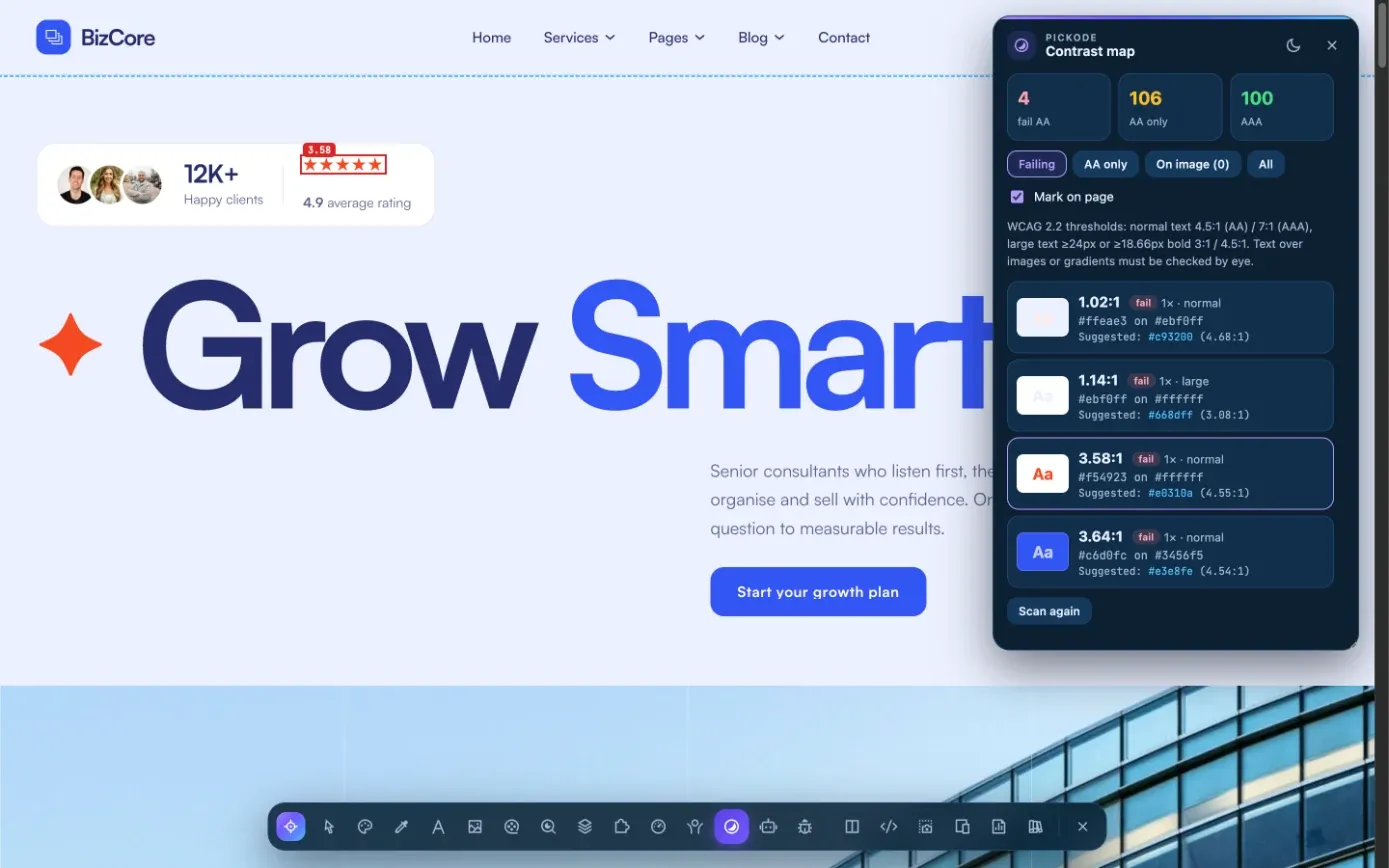
Pickode runs an axe-core WCAG 2.2 AA audit and highlights the failing elements on the page. The contrast map marks every text that fails and suggests the nearest color that passes. With the European Accessibility Act, website accessibility matters even more.
Free forever · 7-day Pro trial, no card · Chrome, Edge, Brave, Opera, Arc, Comet, Firefox
In short
Pickode is an accessibility checker Chrome extension (also for Edge, Brave, Opera, Arc, Comet and Firefox) that audits the page you're viewing with axe-core 4.10 against WCAG 2.2 AA and best practices. Failing nodes are highlighted on the page and rule titles appear in English or Italian. Its contrast map works as a WCAG contrast checker for every text at once, against the real background, and suggests the nearest passing color.
How it works
Accessibility in three steps.
 01
01Open the page
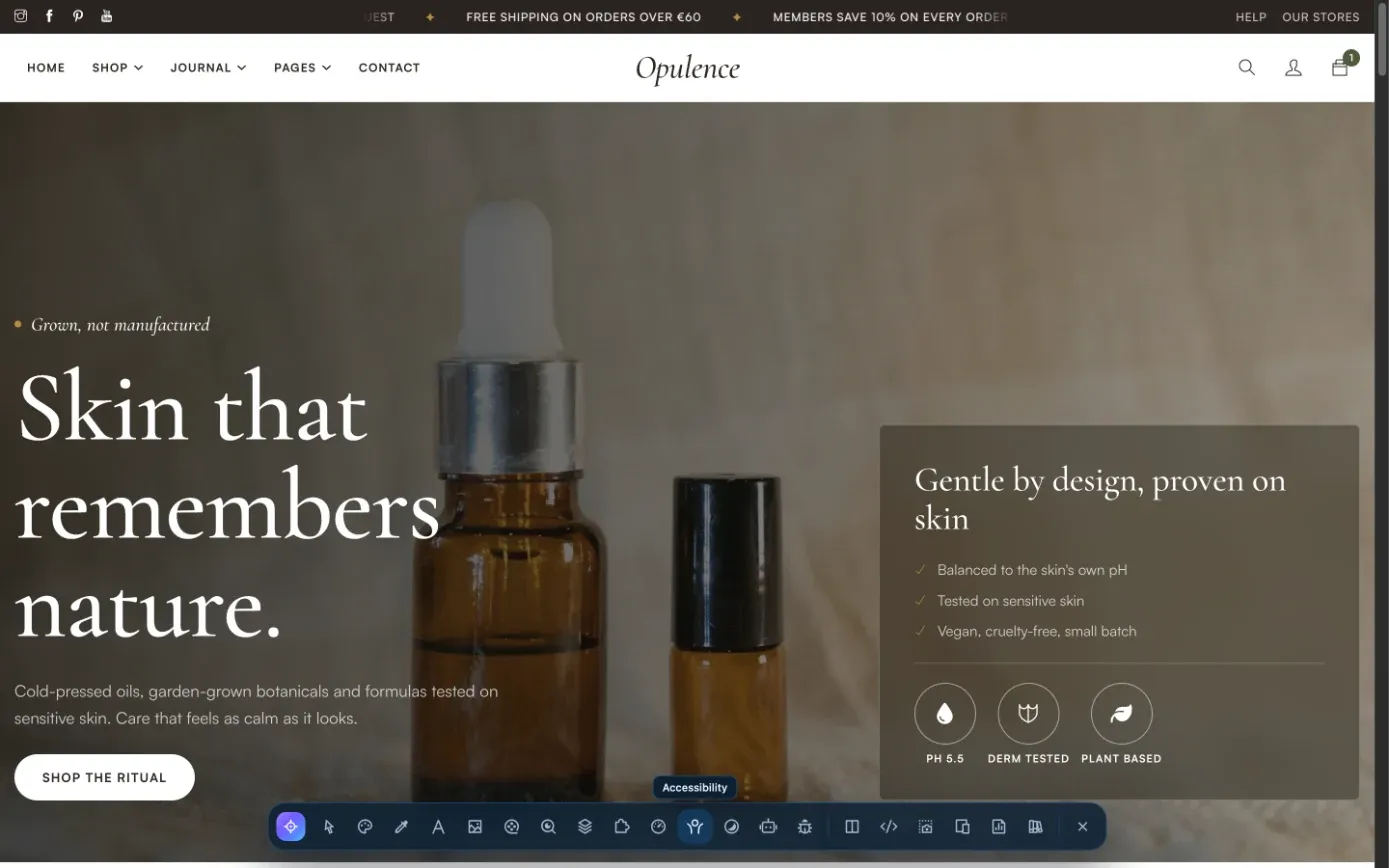
Open the page you want to check in your browser.
 02
02Run the audit
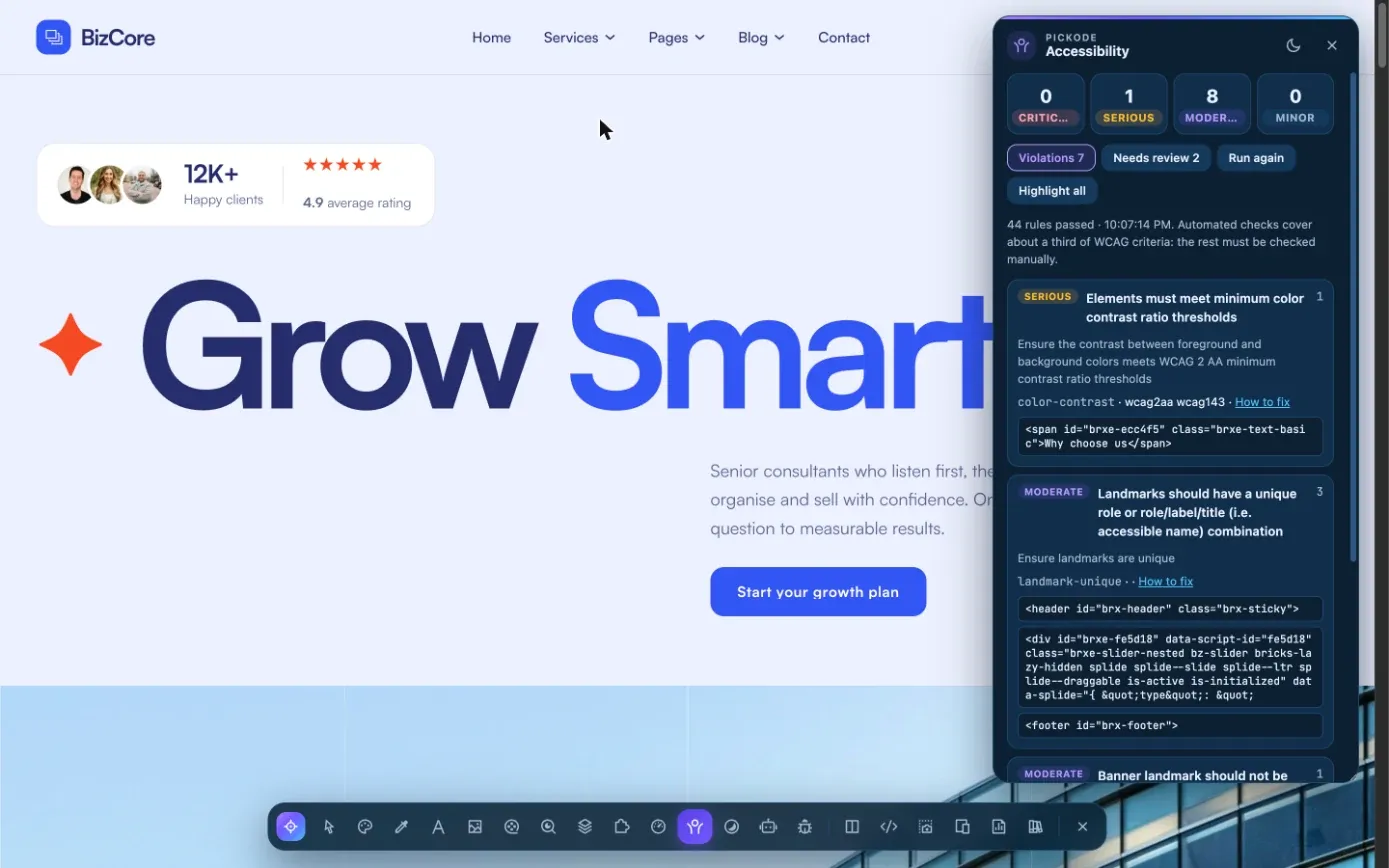
In Pickode's Analyze section, open Accessibility for the axe-core audit, or the contrast map to mark failing text on the page.
 03
03Fix and report
Use the highlighted nodes and the suggested colors to fix issues. With Pro, add them to a client report with priorities.
What you get
An audit you can act on.
WCAG 2.2 AA with axe-core
axe-core 4.10 checks the page against WCAG 2.2 AA and best practices, with rule titles in English or Italian.
Highlighted nodes
Every failing element is highlighted on the page, so you see where the problem is, not only its selector.
Contrast map for every text
Each text is checked against its effective background, with transparencies composited, using AA and AAA thresholds for normal and large text.
Nearest passing color
For each failing text, the contrast map suggests the closest color that meets the threshold, so the design changes as little as possible.
Details
What the accessibility audit checks.
- Engine
- axe-core 4.10
- Rules
- WCAG 2.2 AA plus best practices
- Language
- Rule titles in English or Italian; detail messages in English
- On the page
- Failing nodes highlighted
- Contrast map
- Every text vs its effective background (composited transparencies), AA/AAA thresholds with large text, marks on the page, nearest passing color
- Plan
- Scores and contrast map free; audit details and suggestions in Pro
An automated audit doesn't replace a full manual accessibility review: some WCAG criteria need human judgment and testing with assistive technology.
Questions
Questions about Accessibility.
Which standard does the audit use?
axe-core 4.10 with WCAG 2.2 AA rules plus best practices.
Is the color contrast checker free?
Yes. The contrast map is in the free plan, and so are the accessibility scores. Audit details and suggestions are Pro.
How does the contrast map handle transparent backgrounds?
It checks each text against the effective background, with transparencies composited, and applies the AA and AAA thresholds for normal and large text.
Is an automated audit enough for the European Accessibility Act?
No tool can certify compliance on its own. Pickode's audit is a fast starting point for WCAG 2.2 AA issues; a full manual review is still needed.
Are the results in Italian?
Rule titles are in English or Italian. axe-core's detailed messages stay in English.
Is there a free accessibility checker Chrome extension?
Pickode's accessibility panel runs axe-core with WCAG 2.2 AA rules in Chrome, Edge, Brave, Opera, Arc, Comet and Firefox 140+. Scores and the contrast map are free; audit details and suggestions are Pro.
How can I tell if a website is not accessible?
Run the audit: failing elements are highlighted on the page and the contrast map marks every text below the threshold. Automated checks can't verify every WCAG criterion, so test keyboard navigation and content by hand too.
What are the accessibility criteria for a website?
The usual reference is WCAG: success criteria grouped under four principles (perceivable, operable, understandable, robust) at levels A, AA and AAA, with AA the level usually required. Pickode's audit checks WCAG 2.2 AA rules with axe-core.
Keep exploring
Related features.
- ProClient reportOne HTML report with scores, priorities, SEO, speed, accessibility, GEO and technologies. — Learn more
- Color pickerEyedropper and the full color palette of any page, in HEX, RGB or HSL. — Learn more
- InspectorBox model, live CSS editing, measurements, grid and saved CSS per site. — Learn more
Stop rebuilding. Start picking.
Install Pickode, open any site and press Alt+I.
Free · 7-day Pro trial · No account needed