Find out what font any website uses.
Hover a heading to see its font in the inspector tooltip, or open Fonts for the full list: families, weights, sizes and every @font-face the page actually loads.
Free forever · 7-day Pro trial, no card · Chrome, Edge, Brave, Opera, Arc, Comet, Firefox
In short
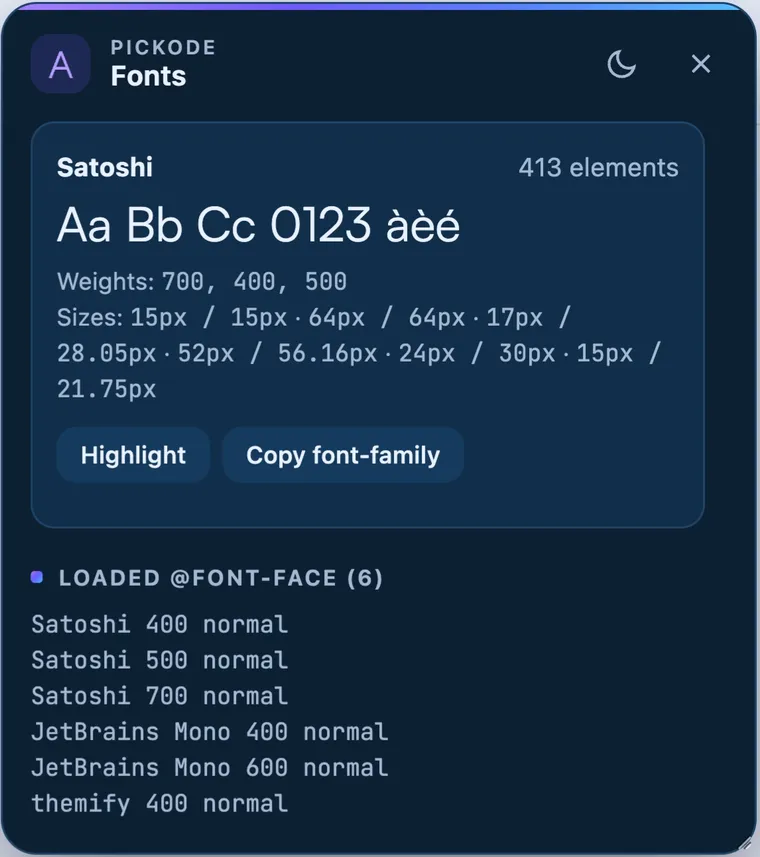
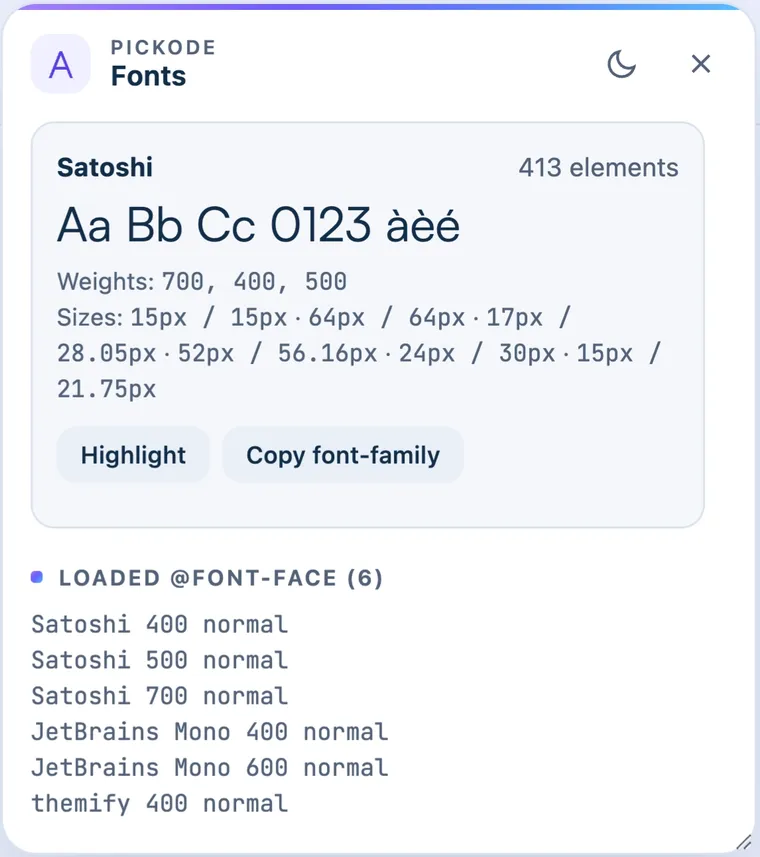
To find out what font a website uses, open Pickode, a browser extension that works as a font finder in Chrome, Edge, Brave, Opera, Arc, Comet and Firefox. Hover any text with the inspector to identify its font, or open Fonts to see every family, weight and size on the page and the @font-face rules it loads. It's free.
How it works
Font finder in three steps.
 01
01Hover the text
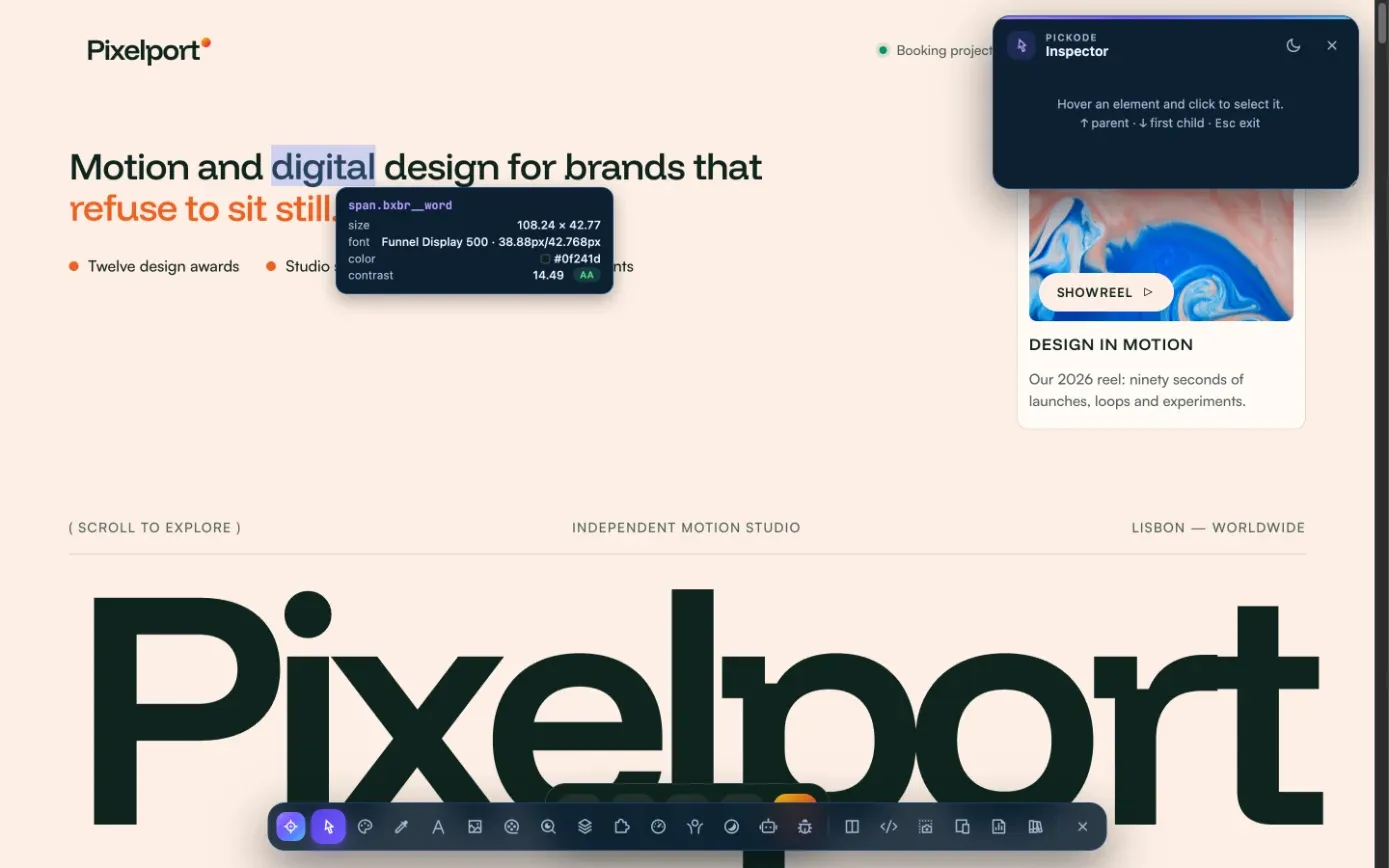
Press Alt+I and hover any text. The inspector tooltip shows its font together with size and colors.
 02
02Open Fonts
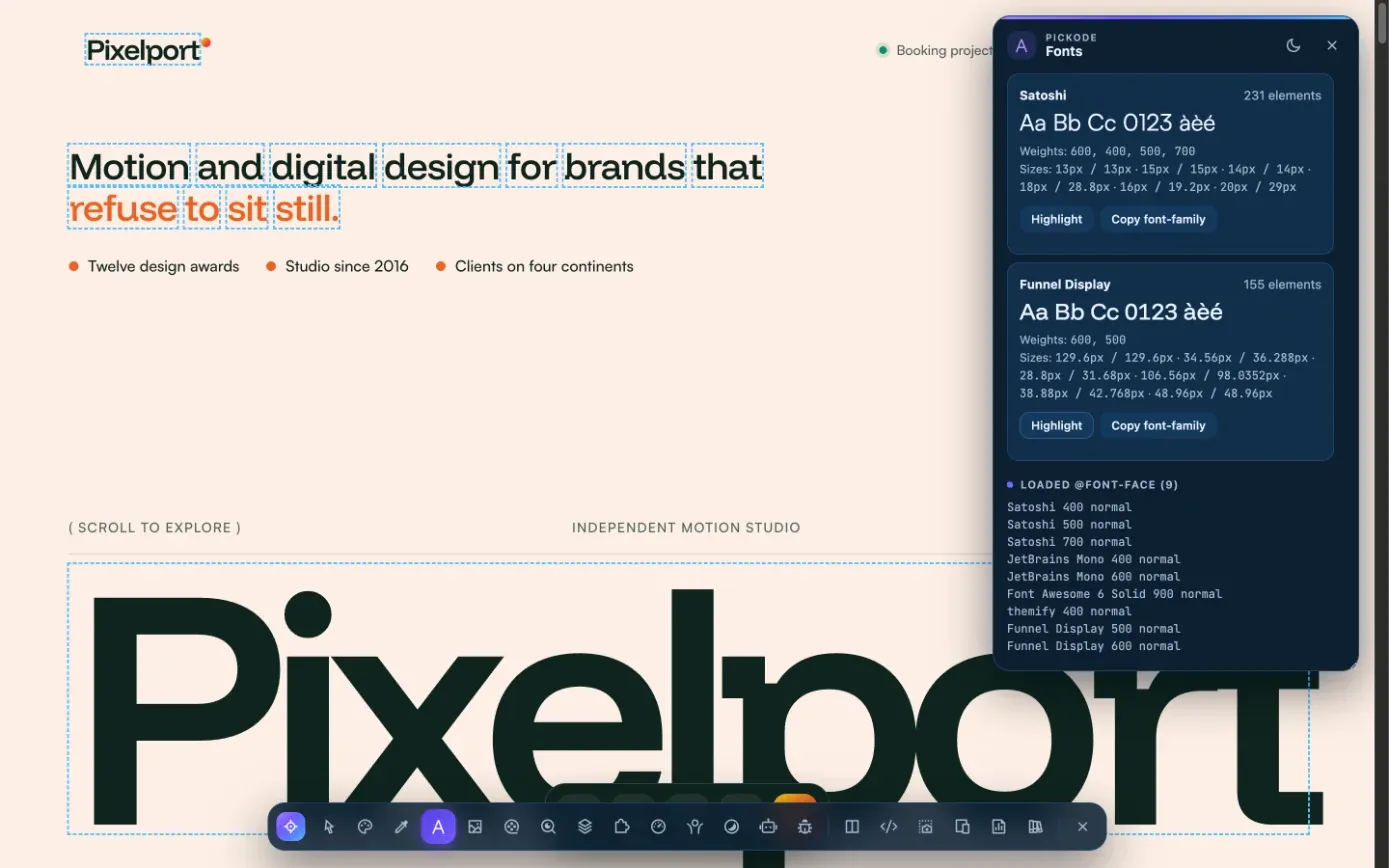
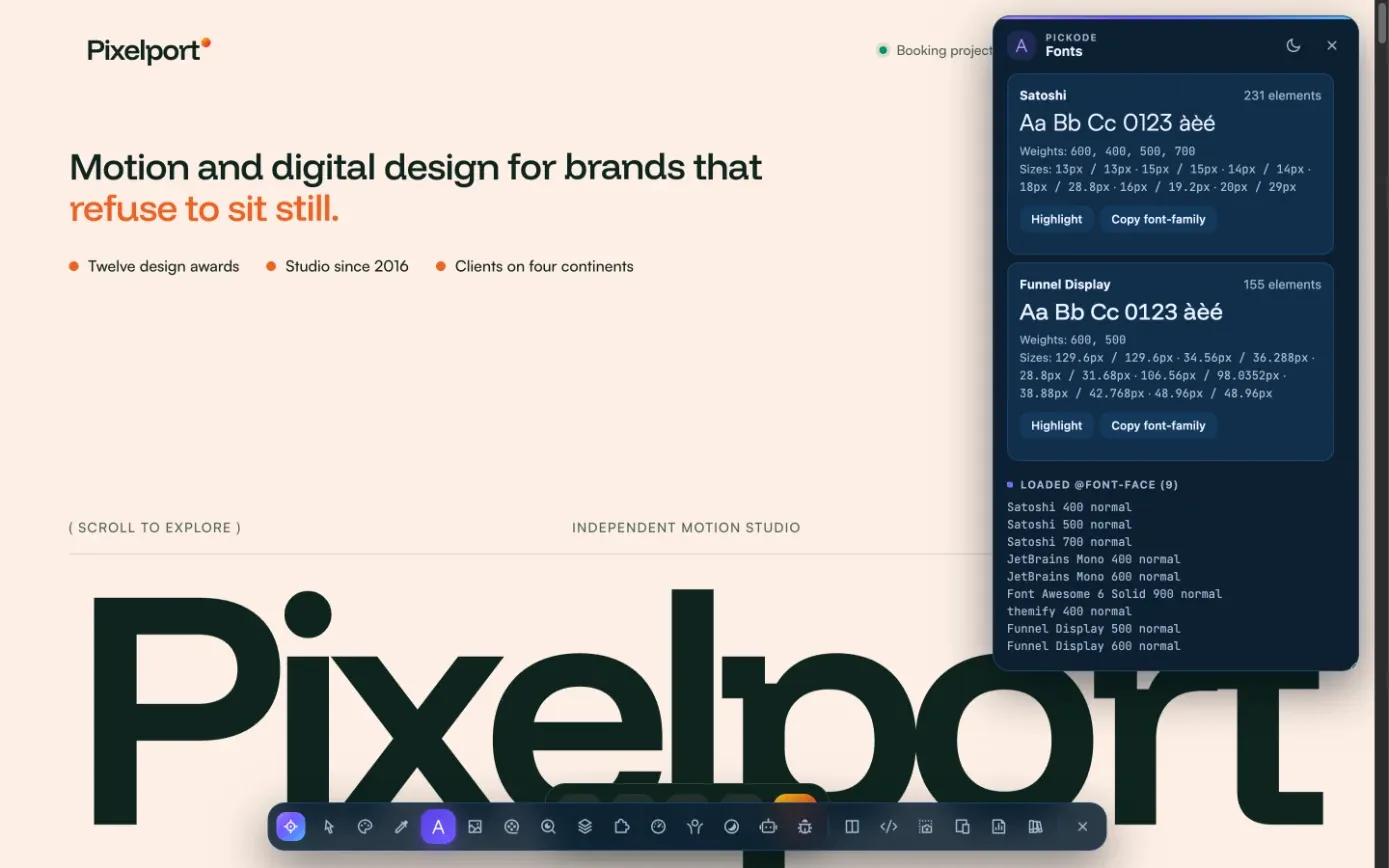
Open Fonts in Pickode to list every family, weight and size used on the page.
 03
03Check what's loaded
See which
@font-facefonts the page actually loads, and download the font files from Assets with Pro.
What you get
A font identifier that shows the whole type system.
Identify a font on hover
The inspector tooltip shows the font of any element you point at, next to its dimensions, colors and contrast.
Every family, weight and size
One list of the fonts the page uses, with the weights and sizes in play.
Loaded @font-face
See the
@font-facefonts the page actually loads, not just the names written in the CSS.Font files when you need them
Assets lists font files with family and weight from
@font-face. Downloading fonts and ZIPs is part of Pro.
Details
What the font finder shows.
- Families
- Every font family used on the page
- Weights and sizes
- Weights and font sizes in use
- Loaded fonts
- The
@font-facefonts the page loads - On hover
- Font in the inspector tooltip, with dimensions, colors and WCAG contrast
- Font files
- In Assets, with family and weight from
@font-face— font downloads and ZIP with Pro - Builder exports
- Bricks and Elementor exports don't copy the text font by default, so your site's typography applies; "Keep the original site font" keeps it
- Plan
- Free
Questions
Questions about Font finder.
How do I find out what font a website uses?
Press Alt+I and hover the text to see its font in the inspector tooltip, or open Fonts in Pickode to list every family, weight, size and loaded `@font-face` on the page.
Is there a free font finder?
Yes. Pickode's fonts panel and inspector are in the free version. Downloading font files from Assets is part of Pro.
Is Pickode a WhatFont alternative?
Pickode identifies fonts on hover in its inspector and lists every family, weight, size and loaded `@font-face` of the page, alongside its other inspection tools such as the color picker and live CSS editing. The font finder is free.
Can I download the font files?
With Pro, Assets lets you download font files, with the family and weight taken from `@font-face`. Make sure the font's license allows you to use it.
If I export a section to Bricks or Elementor, does it keep the font?
Not by default: the text font isn't copied, so the section takes your site's typography. Turn on "Keep the original site font" to keep the source font.
Does it show the font size and weight too?
Yes. For each font on the page you see the family, weights and sizes, plus the `@font-face` rules that are loaded.
Can it identify a font from an image?
No. Pickode reads the fonts a live web page actually loads and uses, so it's made for websites; it doesn't analyze images or PDFs.
Keep exploring
Related features.
Stop rebuilding. Start picking.
Install Pickode, open any site and press Alt+I.
Free · 7-day Pro trial · No account needed