Turn any section into editable Elementor blocks.
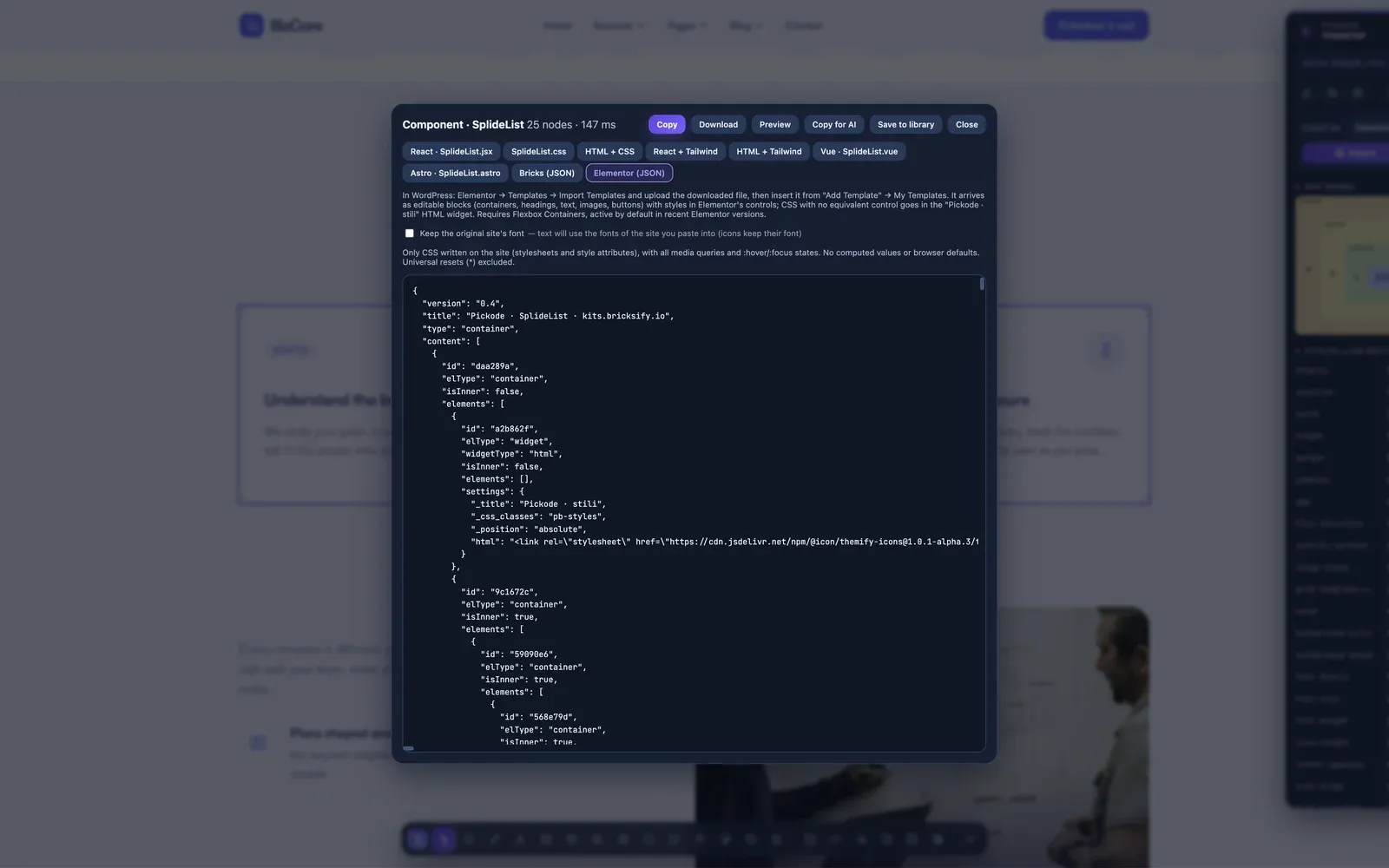
Pickode converts HTML into an Elementor template made of native containers and widgets — Heading, Text Editor, Image, Button — with styles in Elementor's own controls. Not one locked HTML block.
Free forever · 7-day Pro trial, no card · Chrome, Edge, Brave, Opera, Arc, Comet, Firefox
In short
Pickode is a browser extension that converts any section of a website from HTML to Elementor. Select an element, download the template and import it: you get Flexbox containers and native widgets with typography, colors, spacing, borders, shadows and tablet/mobile breakpoints already set in Elementor's controls. It works with free Elementor.
How it works
Elementor export in three steps.
 01
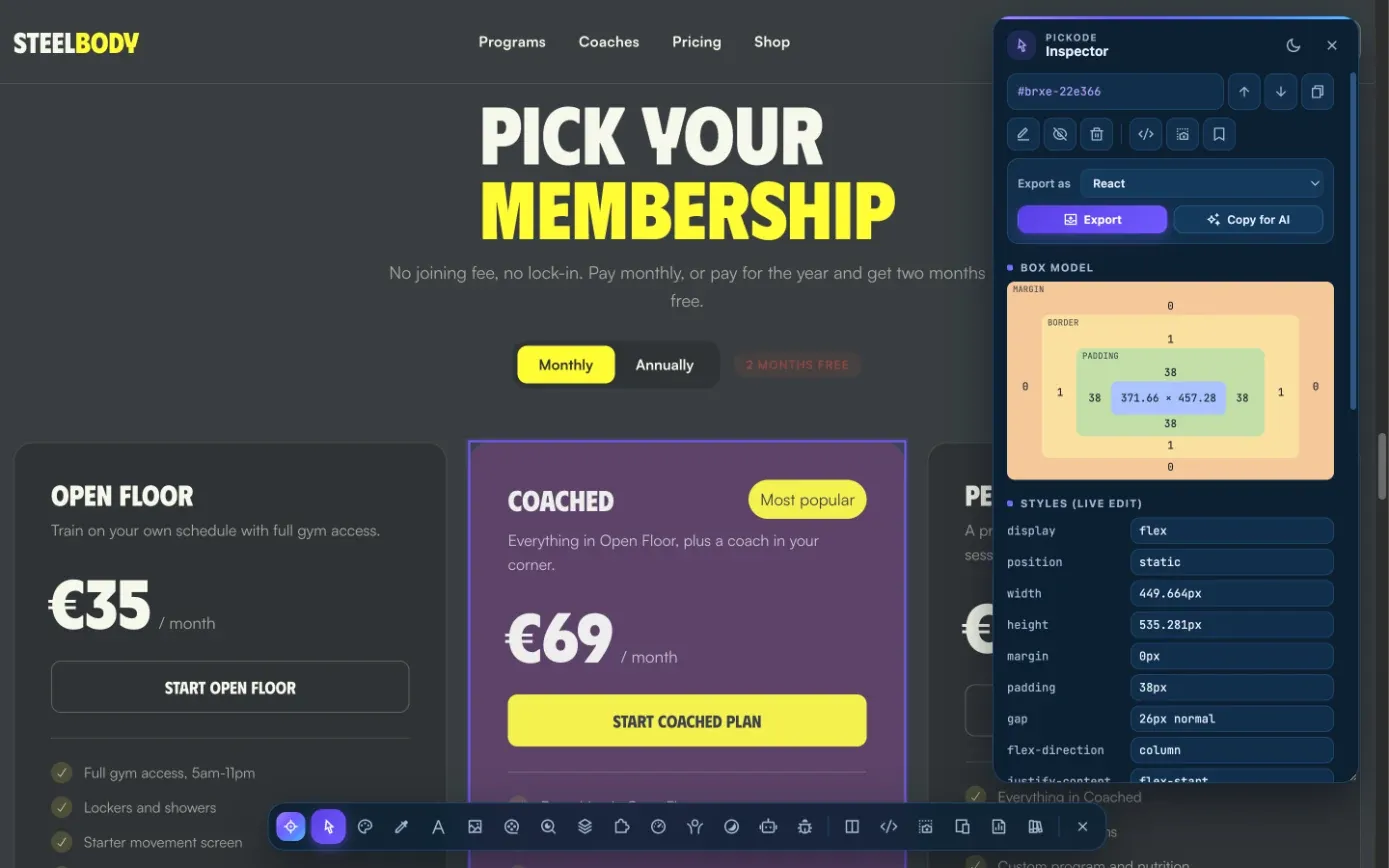
01Select the section
Open the inspector with Alt+I on any website and click the section you want to rebuild.
 02
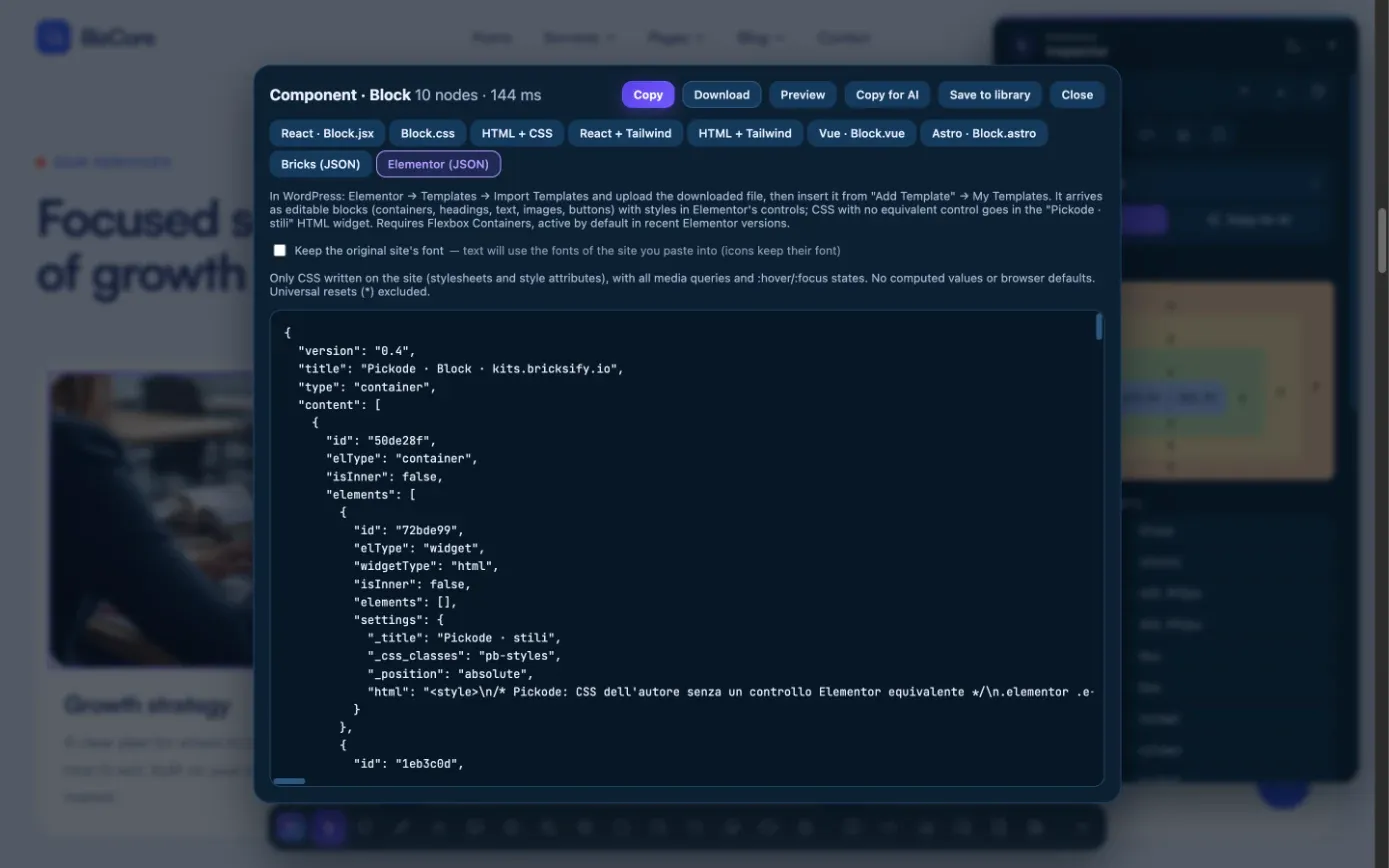
02Export as Elementor
Choose Elementor in the export window and download the template file.
- TODO: media/features/elementor/step-3.mp4 · .webp03
Import and edit
Import the template in Elementor. Every container and widget is editable in the Navigator, like one you built yourself.
What you get
Native Elementor, not a pasted blob of HTML.
Containers and widgets
Flexbox or Grid containers with Heading, Text Editor, Image, Button and HTML widgets in the original order.
Styles in Elementor's controls
Typography, colors, spacing, backgrounds, borders, radius, shadows and hover in the native panels.
Tablet and mobile breakpoints
Responsive values land on Elementor's tablet (≤1024px) and mobile (≤767px) breakpoints.
Your site's typography
The text font is not copied, so the section takes your site's fonts. You can keep the original font with one option.
Details
What the Elementor export includes.
- Containers
- Flexbox and Grid containers (Flexbox Containers required)
- Widgets
- Heading, Text Editor, Image, Button, HTML
- Styles
- Typography, colors, spacing, backgrounds (color, image, two-color gradient), borders, radius, shadows, hover
- Breakpoints
- Tablet (≤1024px) and mobile (≤767px) in native controls
- Leftover CSS
- Anything without a native control goes into one "Pickode · styles" widget with selectors on Elementor's markup
- Verified
- 92 setting keys checked against Elementor's source
- Elementor version
- Free Elementor with Flexbox Containers (on by default in recent versions)
Questions
Questions about Elementor export.
Does the Elementor export work with free Elementor?
Yes. It needs Flexbox Containers, which are on by default in recent Elementor versions.
Can I convert HTML into editable Elementor widgets instead of one HTML widget?
Real widgets. Headings, text, images and buttons become native Elementor widgets inside containers, with styles in Elementor's controls. Only CSS without a native control goes into a small "Pickode · styles" widget.
How do I import the template?
Download the template from Pickode, then import it into Elementor's template library and insert it into your page.
Will the section use my site's fonts?
Yes. The text font is not copied, so your site's typography applies. Turn on "Keep the original site font" to keep the source font instead.
Is it legal to copy a section from another site?
Pickode is for learning, inspiration, auditing and migrating sites you work on. Respect copyright and licenses, and don't republish others' designs, text or images without permission.
Can I import an HTML file directly into Elementor?
With Pickode you don't import HTML: you select the section on the live page, download it as an Elementor template (JSON) and import that into Elementor's template library. It arrives as native containers and widgets.
Is there a Chrome extension to convert HTML to Elementor?
Yes. Pickode is a browser extension for Chrome, Edge, Brave, Opera, Arc, Comet and Firefox 140+ that turns a section of any page into an Elementor template with native containers and widgets.
Is the HTML to Elementor converter free?
The Elementor export is Pro; on Free you see a partial preview. You can try it with the 7-day Pro trial, no card needed, and the export works with free Elementor.
Keep exploring
Related features.
Stop rebuilding. Start picking.
Install Pickode, open any site and press Alt+I.
Free · 7-day Pro trial · No account needed