Give your AI the real thing, not a screenshot.
One click copies a brief for Claude, ChatGPT, Cursor or v0: the component's code, its structure, breakpoints and states, the site's design tokens and the assets it uses. Only facts found on the page.
Free forever · 7-day Pro trial, no card · Chrome, Edge, Brave, Opera, Arc, Comet, Firefox
In short
To copy a website section for AI, select it with Pickode and click Copy for AI: you get a Markdown brief with an editable request, the estimated section type, content, layout, breakpoints, states, the site's design tokens, the assets and the code in the format you chose. Pickode is a browser extension, and the brief only contains facts found on the page, with no made-up style rules. Paste it into Claude, ChatGPT, Cursor or v0 and turn the website into an AI prompt that rebuilds the component in your stack.
How it works
Copy for AI in three steps.
 01
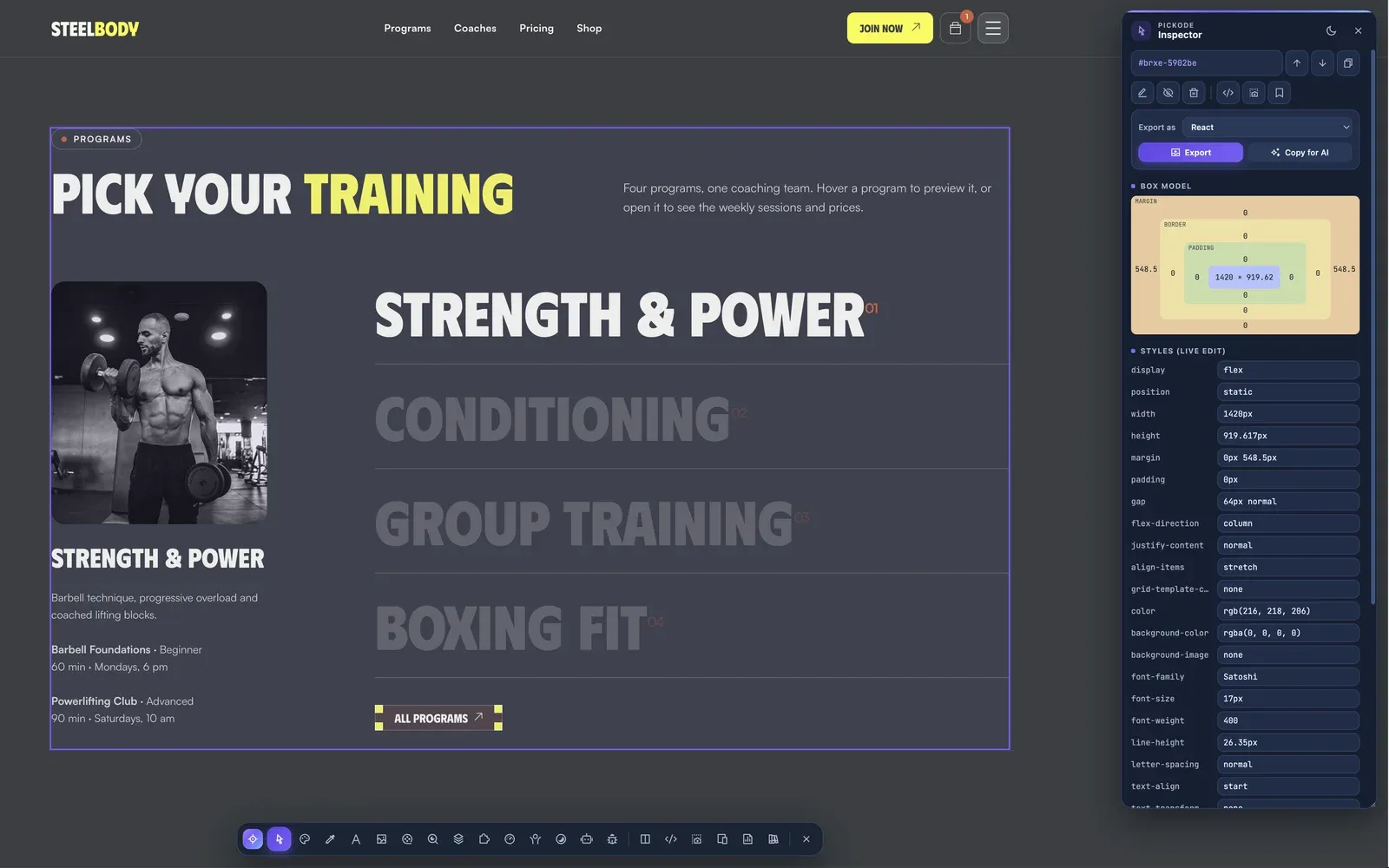
01Select the section
Open the inspector with Alt+I on any website and click the section or component you want.
 02
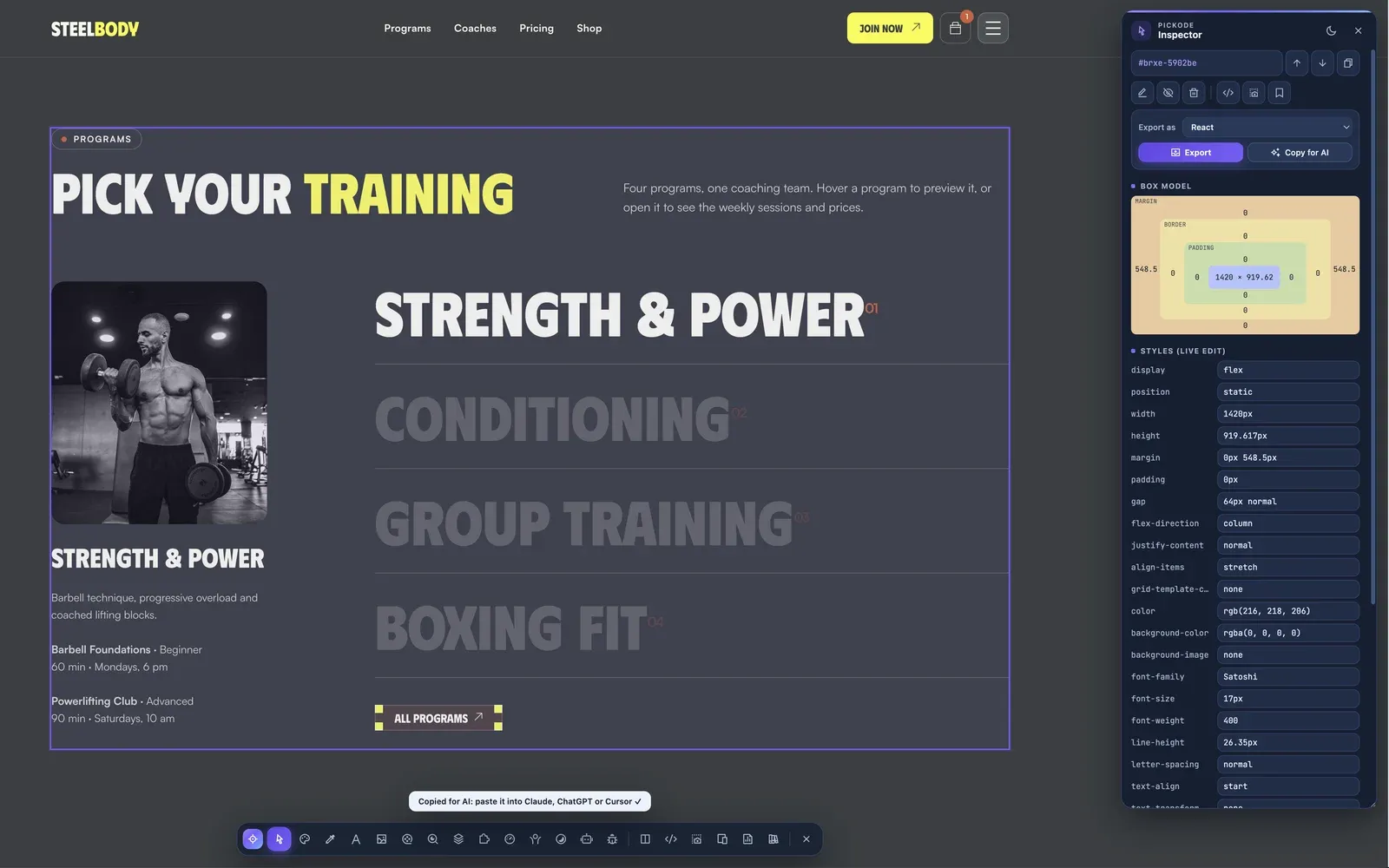
02Copy for AI
Pick the code format, edit the request at the top if you like, and copy the Markdown brief.
 03
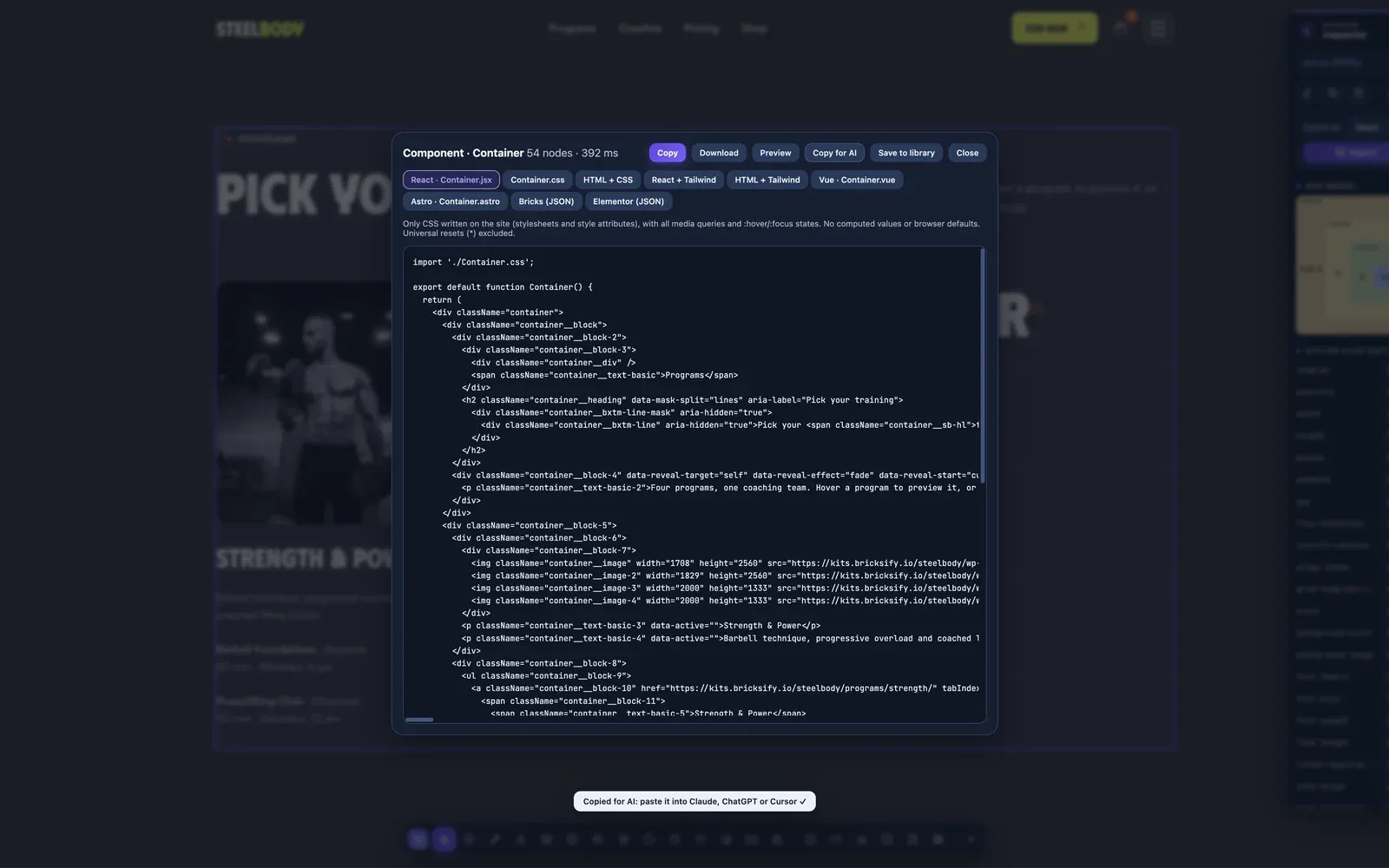
03Paste into your AI
Paste it into Claude, ChatGPT, Cursor or v0 and ask it to rebuild or adapt the component.
What you get
Real data from the page, ready for any AI.
Code in your format
The component's code in the format you chose, built from the CSS the author wrote, with media queries and states.
Structure, layout and breakpoints
Estimated section type, content, layout, breakpoints and hover/focus states, so the AI doesn't have to guess from pixels.
The site's design tokens
Colors, spacing, type scale, radii and shadows from the site, plus the assets the component uses.
Editable request, no invented rules
You decide what to ask at the top of the brief. The rest only contains facts found on the page.
Details
What the Copy for AI brief contains.
- Format
- Markdown, ready to paste
- Request
- Editable prompt at the top of the brief
- Section
- Estimated section type, content and layout
- Responsive and states
- Breakpoints and states such as hover and focus
- Design tokens
- The site's colors, spacing, typography, radii and shadows
- Resources and code
- The assets used and the code in the format you chose
- Works with
- Claude, ChatGPT, Cursor, v0
- Free and Pro
- Included in Pro, also during the 7-day free trial
Questions
Questions about Copy for AI.
Which AI tools does it work with?
Any tool that accepts text. The brief is written for Claude, ChatGPT, Cursor and v0.
How is it different from sending a screenshot?
The brief carries the real code, breakpoints, states, design tokens and assets found on the page, so the AI works from facts instead of guessing from pixels.
Can I change what the AI is asked to do?
Yes. The request at the top of the brief is editable before you copy it.
Is Copy for AI free?
Copy for AI is a Pro feature. You can try it free for 7 days with the Pro trial, no card needed.
Is it legal to copy a section from another site?
Pickode is for learning, inspiration, auditing and migrating sites you work on. Respect copyright and licenses, and don't republish others' designs, text or images without permission.
How do I copy a website section into ChatGPT, Claude or Cursor as a prompt?
Select the section and click Copy for AI, then paste into your AI tool. You get a Markdown brief with an editable request, the estimated section type, content, layout, breakpoints, states, the site's design tokens, the assets and the code in the format you choose.
Can I clone a website with AI?
Pickode doesn't clone whole sites: Copy for AI gives your AI one section at a time with the real code, structure, breakpoints, states and design tokens found on the page. Only facts from the page, no made-up style rules.
Keep exploring
Related features.
Stop rebuilding. Start picking.
Install Pickode, open any site and press Alt+I.
Free · 7-day Pro trial · No account needed