Download images, SVG and fonts from any website.
Every asset the page loads — not just what's in the HTML. Pickode reads the DOM and the network, so lazy-loaded images, CSS backgrounds and font files show up too.
Free forever · 7-day Pro trial, no card · Chrome, Edge, Brave, Opera, Arc, Comet, Firefox
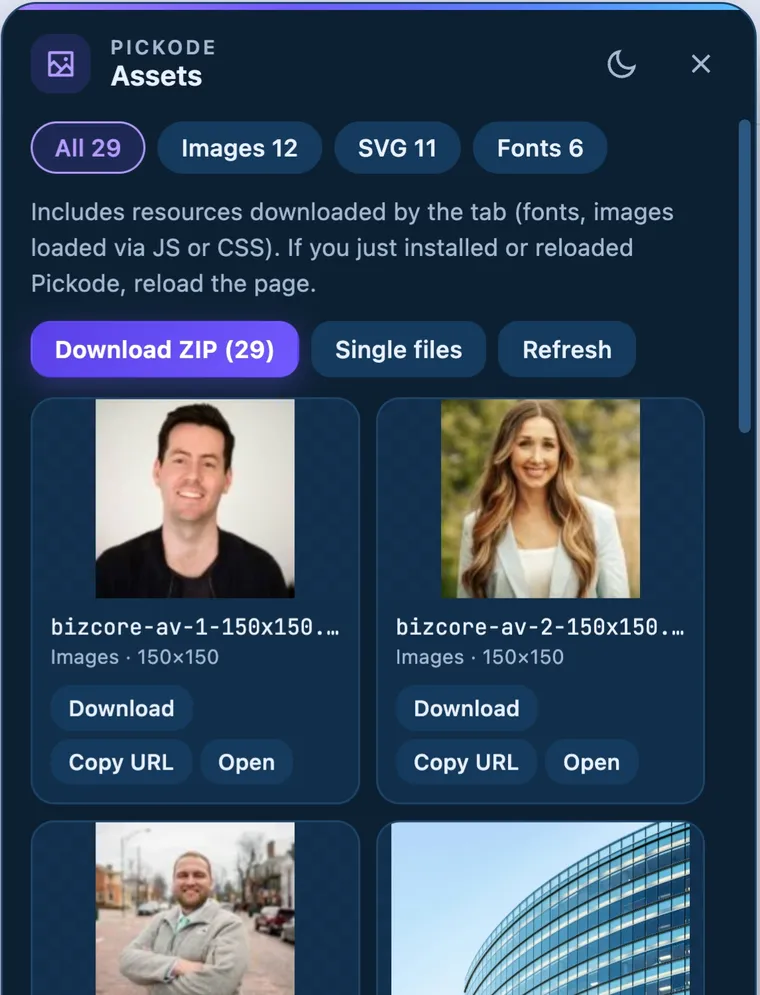
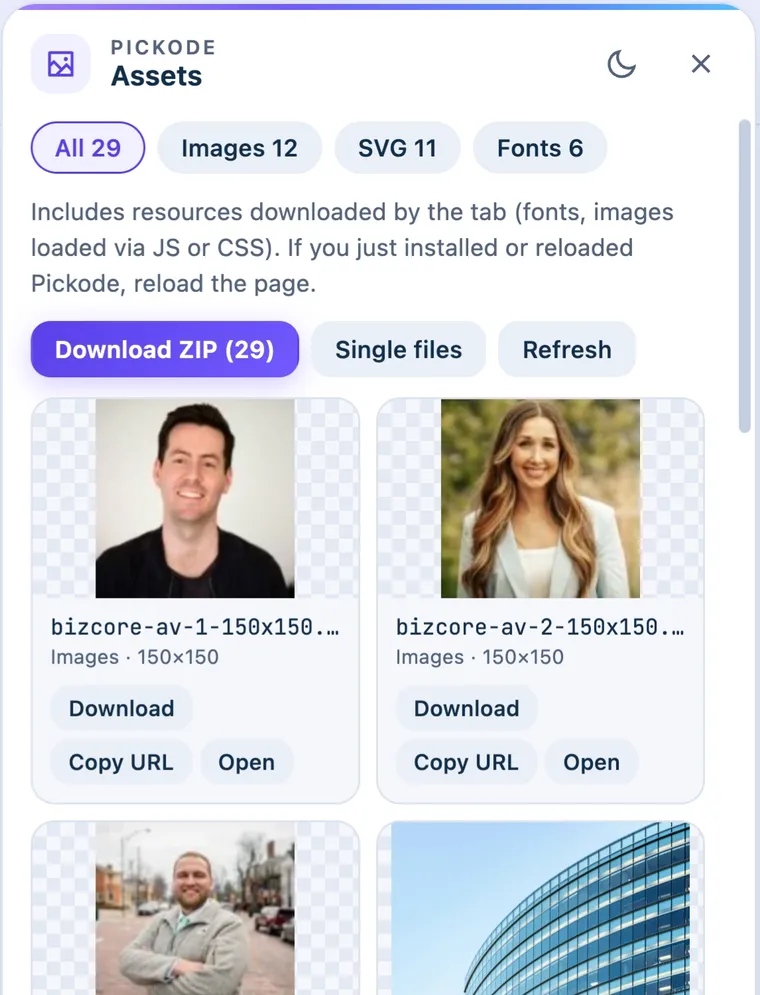
In short
Pickode is a browser extension that lets you download images from a website together with every other asset the page loads: srcset variants, CSS backgrounds, lazy-loaded images, inline SVG, icons, font files, video and audio. Open the asset panel with Alt+A, download single files, or extract all the assets from the website as one ZIP organized by folder.
How it works
Assets and media in three steps.
 01
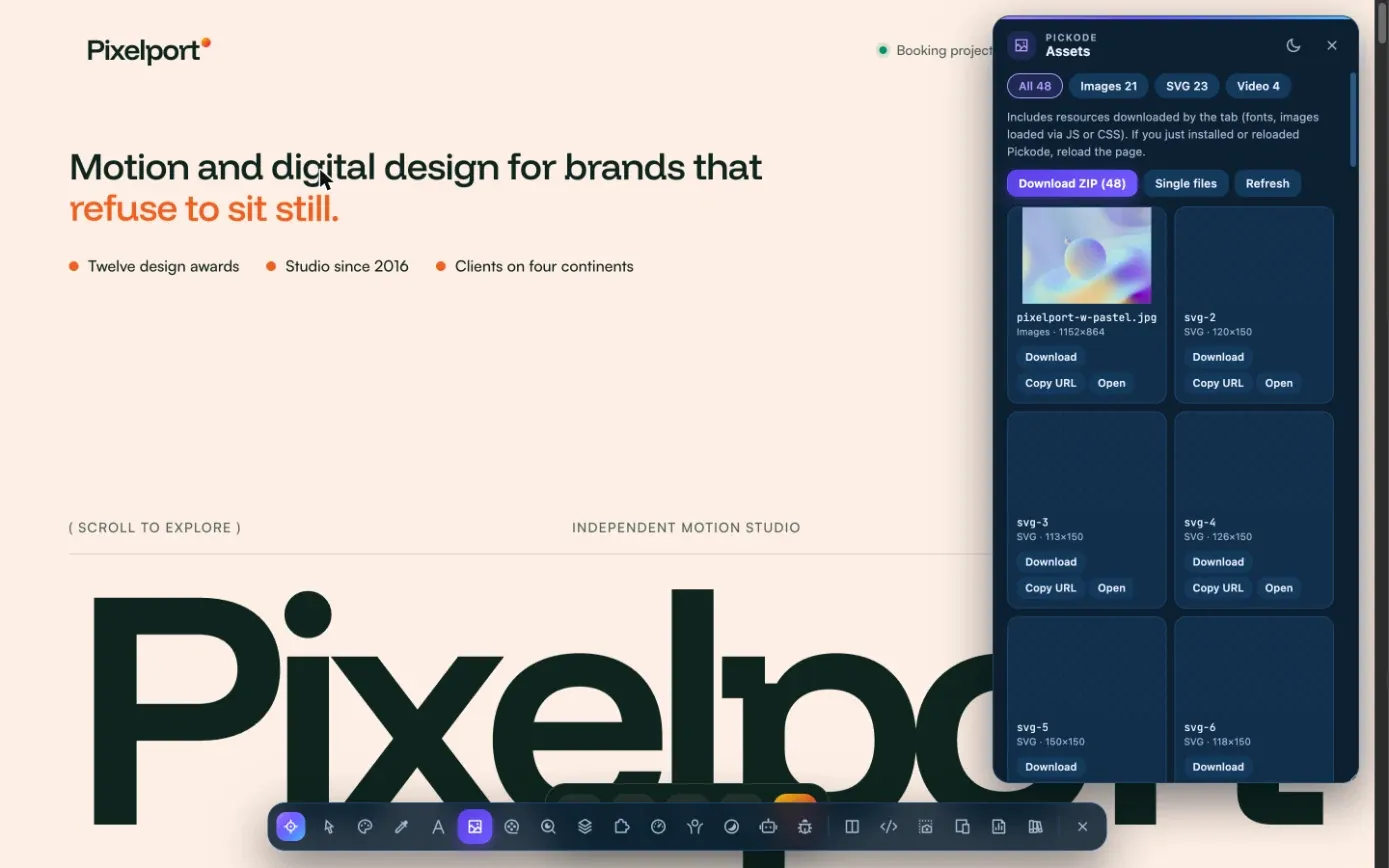
01Open the asset panel
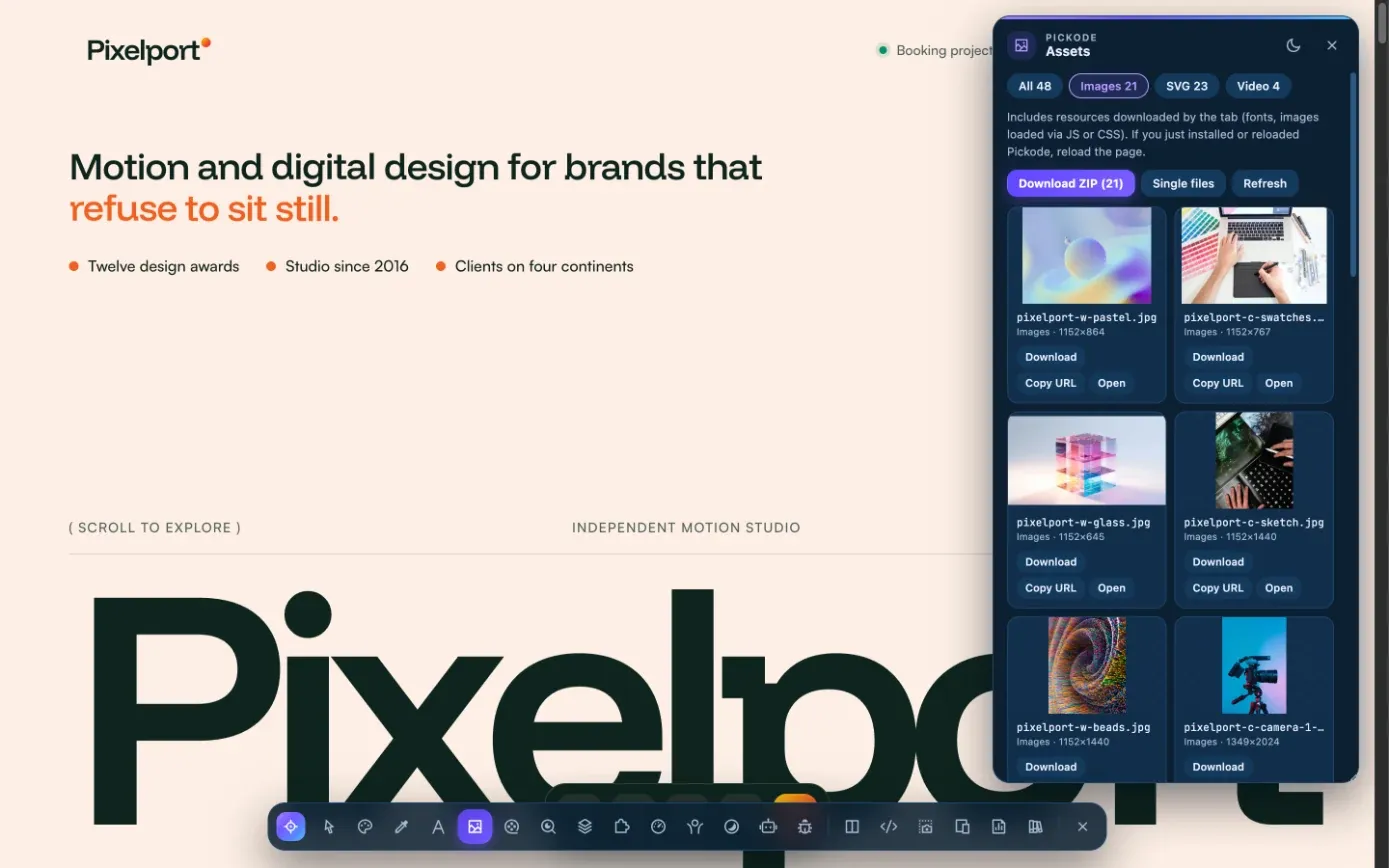
Press Alt+A on any website. Pickode collects assets from the page's DOM and from network requests.
 02
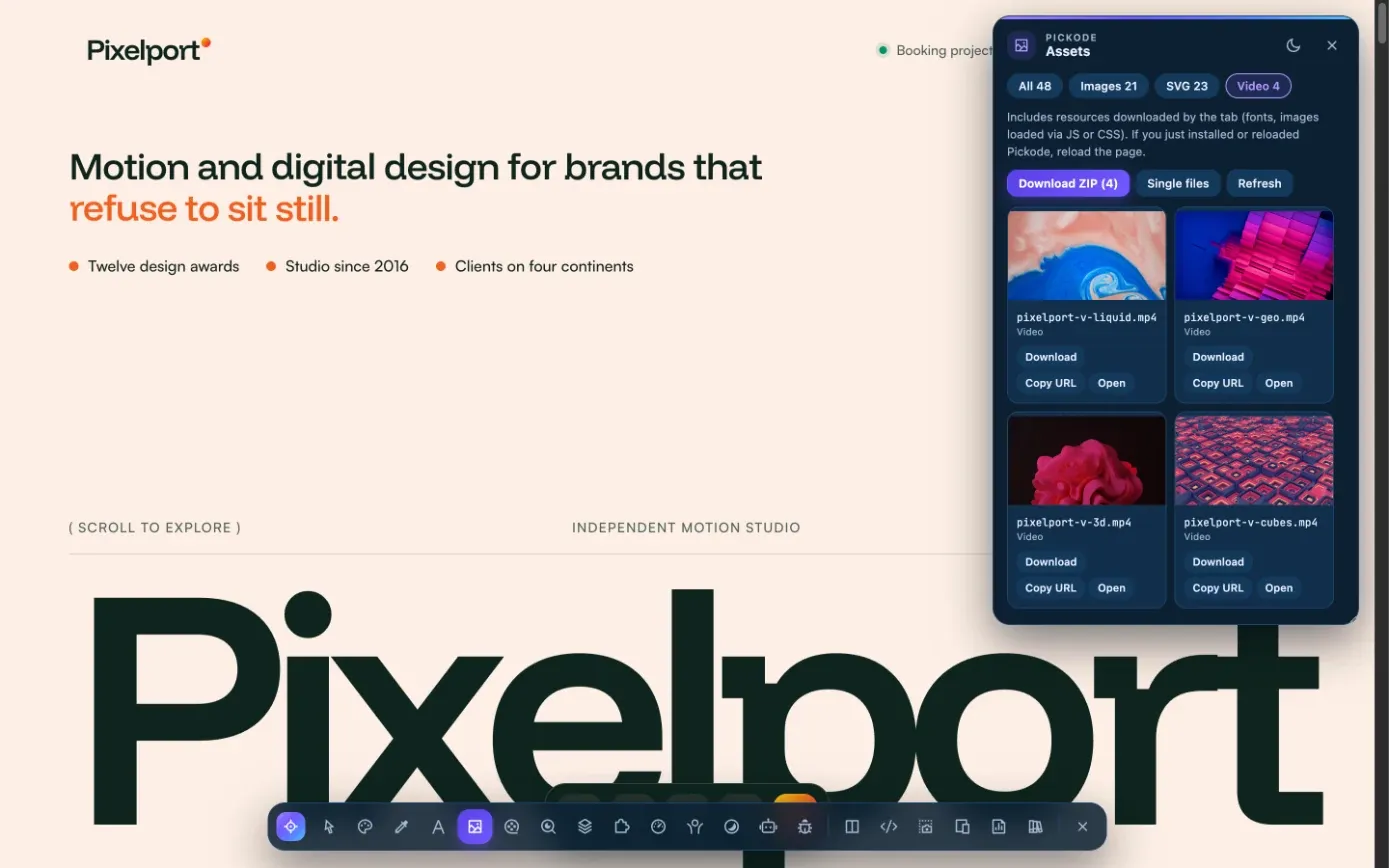
02Browse what the page loads
Images, SVG, icons, fonts, video and audio appear in one list, including files added by JavaScript after the page loaded.
 03
03Download one or all
Save a single file, or download all images and assets from the website as a ZIP organized by folder (Pro).
What you get
More than what's in the HTML.
All the images
<img>andsrcsetvariants, CSS background images and images lazy-loaded by JavaScript, picked up from the network as well as the DOM.SVG and icons
Download inline SVG and icons straight from the website, ready to reuse in your design or code.
Fonts with family and weight
Font files come labeled with their family and weight from the page's
@font-facerules.Streaming video
HLS and DASH streams you have the right to save, downloaded as a single MP4 file.
Lottie animations
Find Lottie animations on the page, preview them, download JSON or .lottie, or convert them to GIF.
Screenshots
Capture the visible area, the full page, an area or a single element, then annotate it in the editor.
Details
What the asset panel collects.
- Sources
- The page's DOM and its network requests (
webRequest) - Images
<img>,srcset, CSS backgrounds, images lazy-loaded via JavaScript- Vectors
- Inline SVG and icons
- Fonts
- Font files with family and weight from
@font-face - Media
- Video and audio files; HLS/DASH streams and Lottie animations on their own pages
- Download
- Single files, or one ZIP organized by folder
- Free
- Asset list and single-file downloads
- Pro
- ZIP download, fonts, audio, Lottie downloads, GIF conversion and streaming video
Download only content you own or are authorized to use. Protected (DRM) video and YouTube are not supported.
Questions
Questions about Assets and media.
How do I download all images from a website?
Open the asset panel with Alt+A. Pickode lists every image the page loads, including srcset variants, CSS backgrounds and lazy-loaded images. Download them one by one for free, or all together as a ZIP organized by folder with Pro.
Can I download SVG from a website?
Yes. Inline SVG and icons appear in the asset panel and you can download them as files.
Can I download fonts from a website?
Yes, with Pro. Pickode finds the font files the page loads and labels them with family and weight from `@font-face`. Check the font's license before using it in your own project.
Is the asset panel free?
The asset list and single-file downloads are free. Pro adds ZIP download, fonts, audio, Lottie downloads, GIF conversion and streaming video.
Can I download any video?
Only unprotected HLS/DASH streams you have the right to save. DRM-protected video, encrypted streams, live streams and YouTube are not supported.
Is it legal to download images from a website?
Pickode is for learning, inspiration, auditing and migrating sites you work on. Download only content you own or are authorized to use, and don't republish others' images or designs without permission.
Can I download all the contents of a webpage, not just images?
Yes. The asset panel collects images, inline SVG, icons, font files, video and audio from the page and from its network requests, so files loaded by JavaScript show up too. With Pro you can download everything as a ZIP organized by folder.
Keep exploring
Everything in Assets and media.
Stop rebuilding. Start picking.
Install Pickode, open any site and press Alt+I.
Free · 7-day Pro trial · No account needed