Copy any website section as clean, editable code.
Select a section on any site and export it as React, HTML + CSS, Tailwind, Vue, Astro, Bricks or Elementor. Pickode reads the original stylesheets, so the code is short, readable and keeps every breakpoint and hover state.
Free forever · 7-day Pro trial, no card · Chrome, Edge, Brave, Opera, Arc, Comet, Firefox
In short
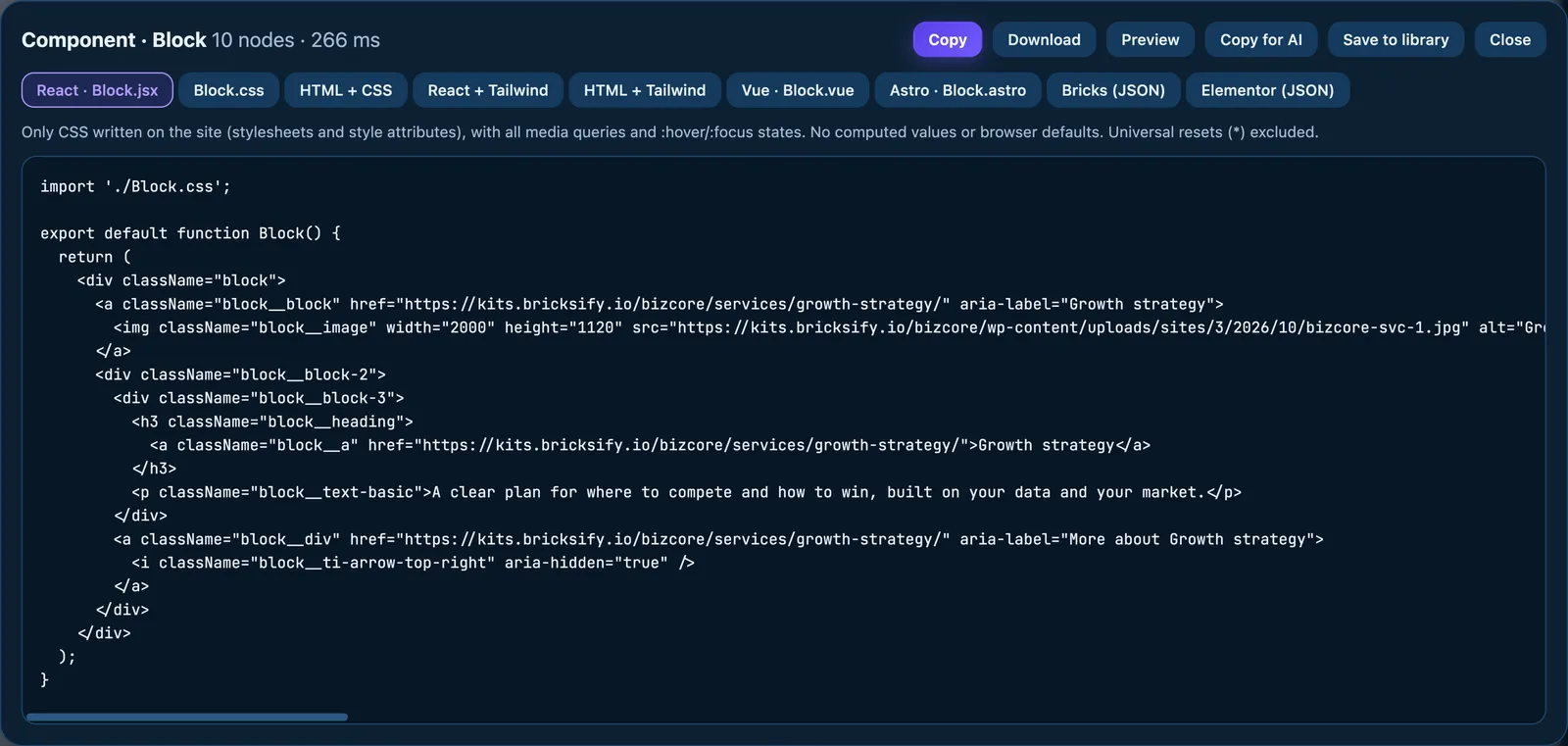
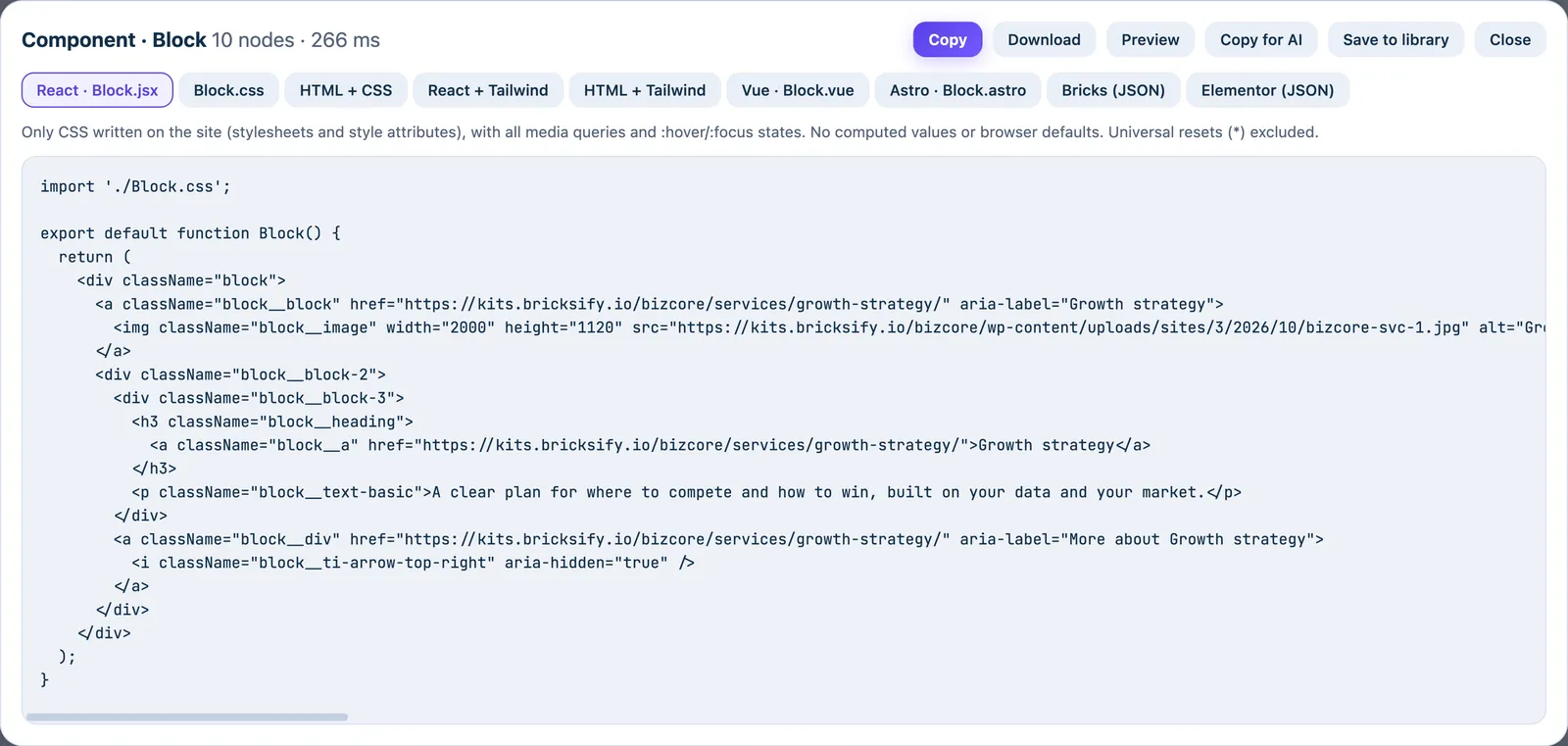
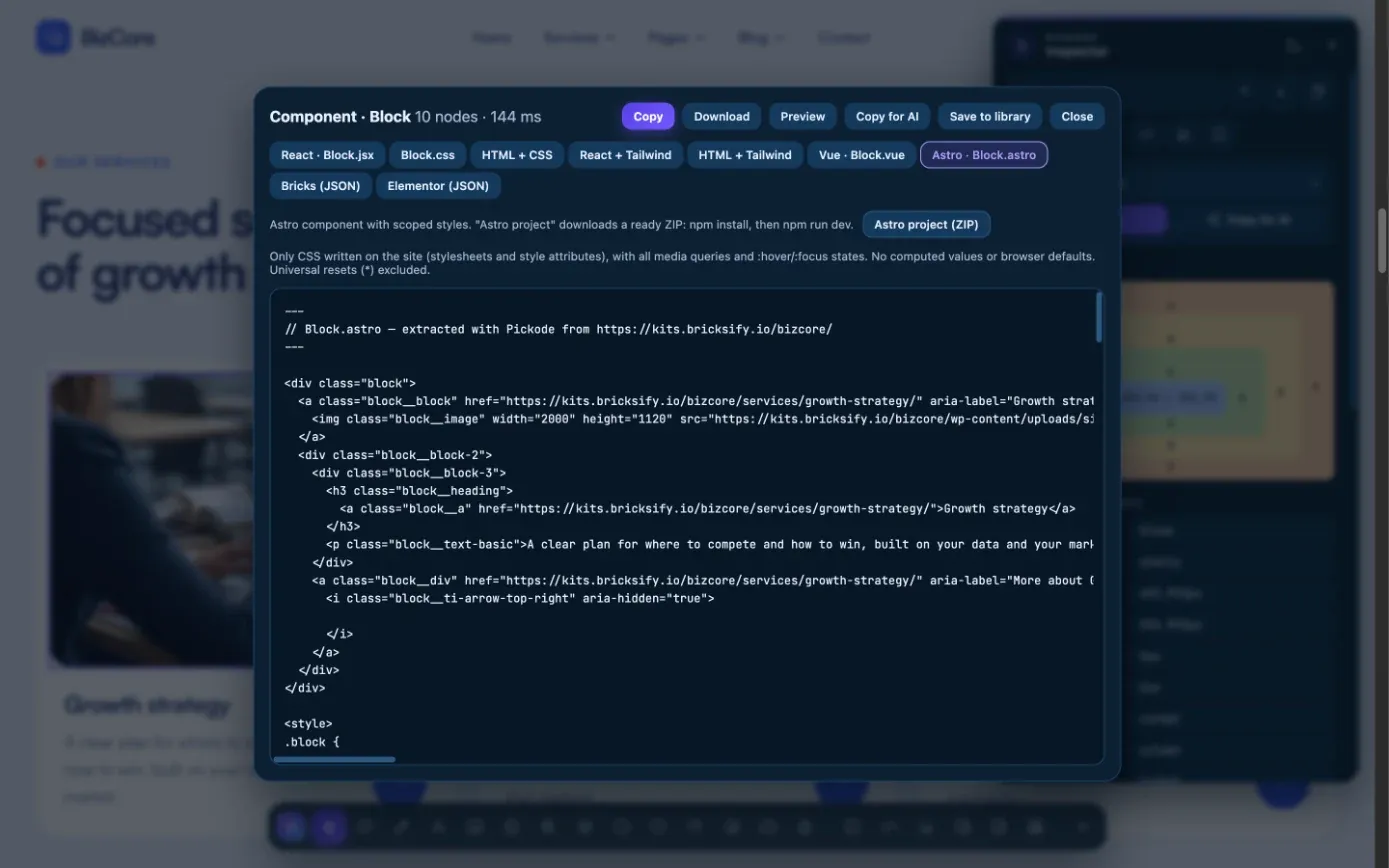
To copy website code with Pickode, open the inspector, click a section or component and pick a format: React (JSX + CSS), HTML + CSS, HTML + Tailwind, React + Tailwind, Vue SFC, an Astro component or a ready-to-run Astro project, Bricks or Elementor. Pickode is a browser extension that turns any website into code using only the CSS the author actually wrote, not the values the browser computed. You copy one section at a time, ready for your framework or builder, not a clone of a whole website.
How it works
Website to code in three steps.
 01
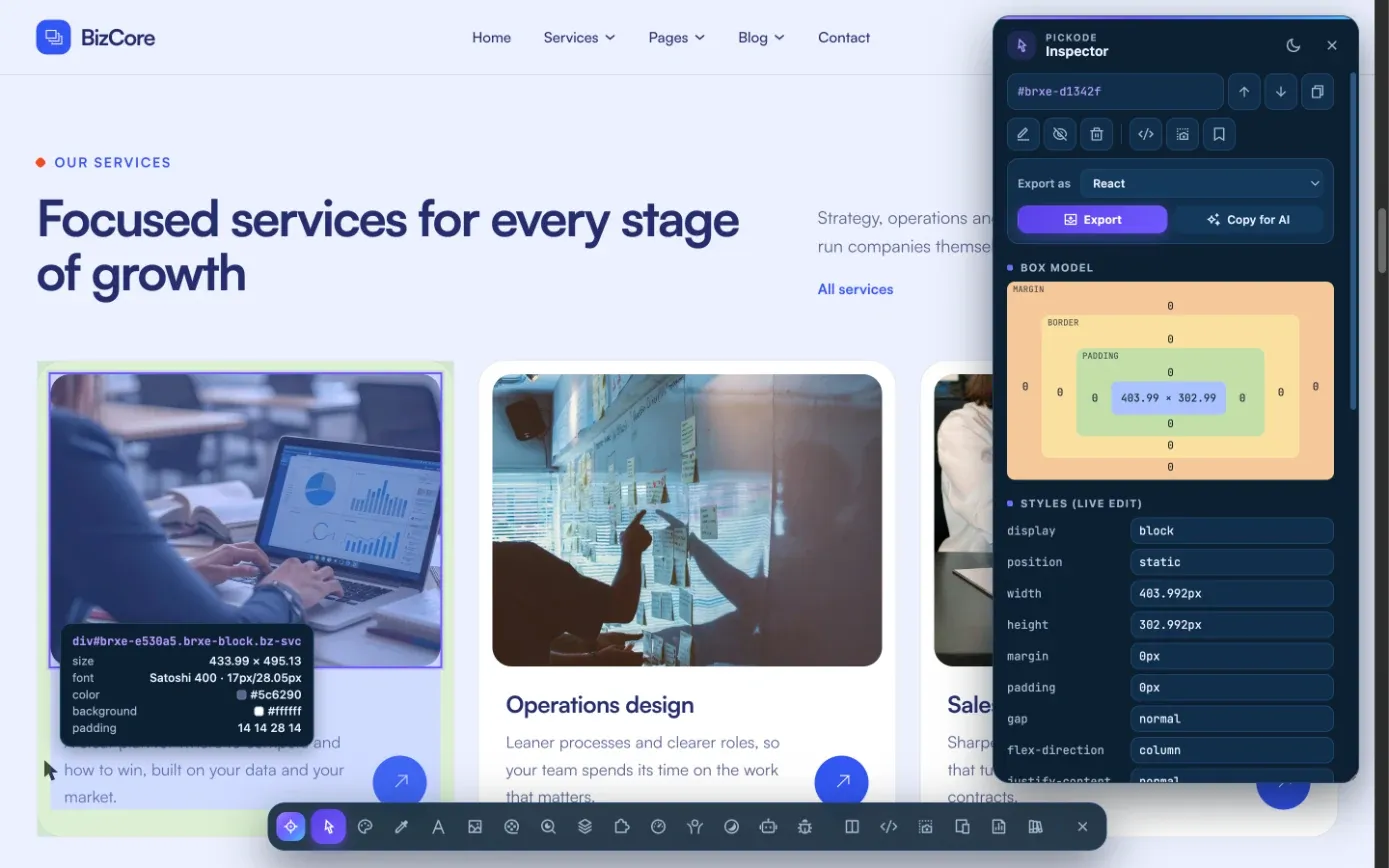
01Select the section
Open the inspector with Alt+I on any website and click the section or component you want.
 02
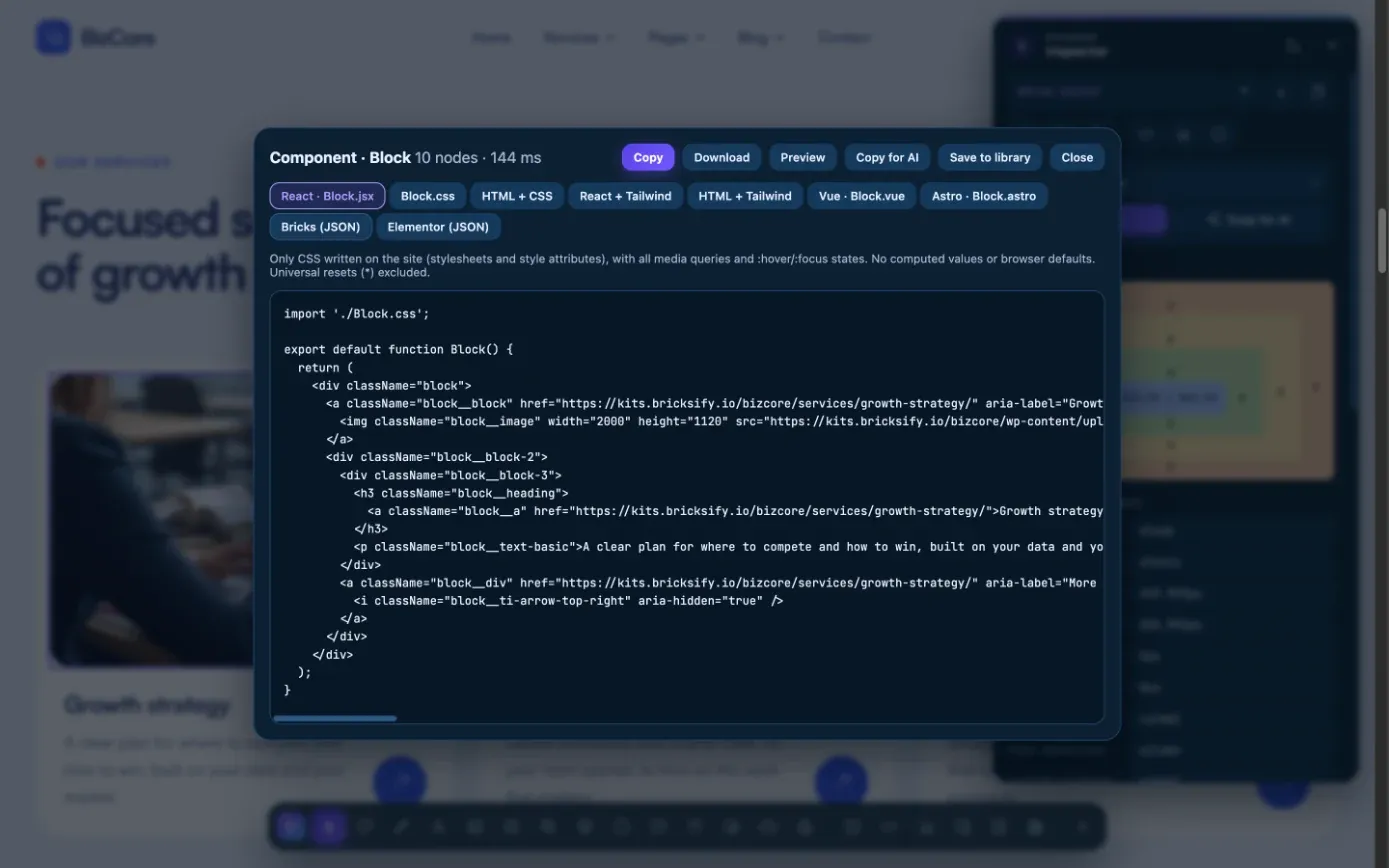
02Pick a format
Choose React, HTML, Tailwind, Vue, Astro, Bricks or Elementor in the export window and check the isolated preview at 375, 768, 1024 and 1280 px.
 03
03Copy or download
Copy the code, download the files or the Astro project ZIP, or paste straight into your builder.
What you get
One section, every format you work with.
Only authored CSS
No computed values, no browser defaults, no universal resets. Every
@media,@supports,@container,:hover,:focusand::before/::afterkept as written.React, Tailwind, Vue and Astro
HTML to React with BEM classes, HTML to Tailwind with arbitrary values (
min-[]:/max-[]:,hover:,!), Vue SFC with scoped styles, Astro components or a full project.Bricks and Elementor, natively
Paste into Bricks with ⌘V or import an Elementor template. You get native, editable elements and widgets, not one locked HTML block.
Copy for AI
Give Claude, ChatGPT, Cursor or v0 a brief with the component's code, breakpoints, states, design tokens and assets.
The site's design tokens
Extract colors, spacing, type scale, radii and shadows as CSS variables, Tailwind
@theme, shadcnglobals.cssor WordPresstheme.json.Save to your library
Keep components, tokens and palettes in your library and sync it through your own Google Drive.
Details
Export formats and what each one gives you.
- React
- JSX + CSS with BEM classes, or React + Tailwind
- HTML + CSS
- Plain HTML with a stylesheet of the author's rules, media queries and states included
- Tailwind
- HTML + Tailwind or React + Tailwind with arbitrary values: media queries →
min-[]:/max-[]:, states →hover:,!important→! - Vue
- Single File Component with
<style scoped> - Astro
- An
.astrocomponent, or a ready-to-run Astro project as a ZIP - WordPress builders
- Bricks (JSON for ⌘V in the editor) and Elementor (template JSON with native containers and widgets)
- Preview
- Isolated page at 375, 768, 1024 and 1280 px, plus 27 device frames
- Free and Pro
- HTML + CSS free 5 times a week; every format unlimited with Pro (on Free the other formats show a partial preview)
Questions
Questions about Website to code.
What does "only authored CSS" mean?
Pickode reads the site's original stylesheets instead of the values the browser computed. You get the author's real values, media queries and hover states, not hundreds of resolved pixels.
Can I copy an entire webpage, or only one section?
No. Pickode copies one section or component at a time as code. Export of a full page with a design overview is on the roadmap.
How does HTML to Tailwind handle breakpoints and hover?
Media queries become `min-[]:`/`max-[]:` variants, states become `hover:` and similar, and `!important` becomes `!`, using arbitrary values from the author's CSS.
Is exporting free?
HTML + CSS export is free 5 times a week. React, Tailwind, Vue, Astro, Bricks and Elementor show a partial preview on Free and are unlimited with Pro, with a 7-day Pro trial and no card.
Is it legal to copy a website's code?
Pickode is for learning, inspiration, auditing and migrating sites you work on. Respect copyright and licenses, and don't republish others' designs, text or images without permission.
How do I copy the HTML and CSS of a website section?
Select the section with Pickode's inspector (Alt+I) and choose "Export as" HTML + CSS — no DevTools needed. You get the markup with only the CSS the author wrote, media queries, hover states and `::before`/`::after` included, and an isolated preview at 375, 768, 1024 and 1280 px.
Can I copy a section exactly as it is, with its CSS and JavaScript?
The CSS, yes: Pickode keeps it as the author wrote it, with breakpoints, states and variables. The page's JavaScript is not exported, so any scripted behavior has to be added back in your project.
Does it work on any website?
On most pages, yes. Pickode doesn't work on `chrome://` pages, the Chrome Web Store or PDFs, and stylesheets that can't be read because of CORS are not exported.
Keep exploring
Everything in Website to code.
- ProBricks exportCopy any section and paste it into Bricks as native, editable elements. — Learn more
- ProElementor exportAny section as native, editable Elementor containers and widgets. — Learn more
- Copy for AIA Markdown brief of any component for Claude, ChatGPT, Cursor or v0. — Learn more
- Design tokensA site's colors, spacing, type, radii and shadows as ready-to-use tokens. — Learn more
- LibraryComponents, tokens, palettes and Lottie saved and synced to your own Drive. — Learn more
- InspectorBox model, live CSS editing, measurements, grid and saved CSS per site. — Learn more
- Assets and mediaEvery image, SVG, font, video and audio file the page loads. — Learn more
- ProClient reportOne HTML report with scores, priorities, SEO, speed, accessibility, GEO and technologies. — Learn more
Stop rebuilding. Start picking.
Install Pickode, open any site and press Alt+I.
Free · 7-day Pro trial · No account needed