Inspect and edit any website, live.
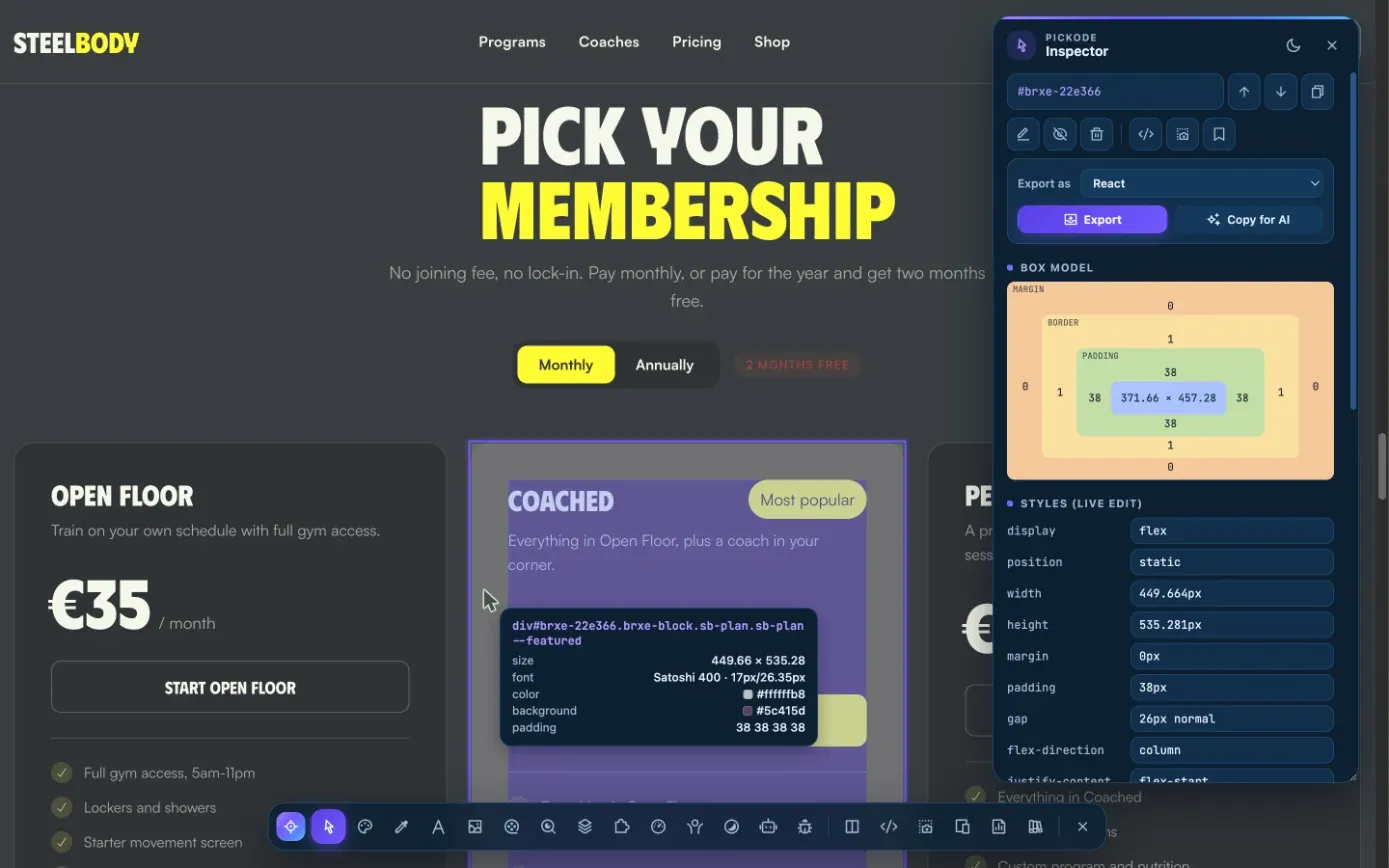
Hover any element to see its size, font, colors and contrast. Change values with the arrow keys, measure distances with Alt and lay a grid over the page — then save your CSS for that site or export the element.
Free forever · 7-day Pro trial, no card · Chrome, Edge, Brave, Opera, Arc, Comet, Firefox
In short
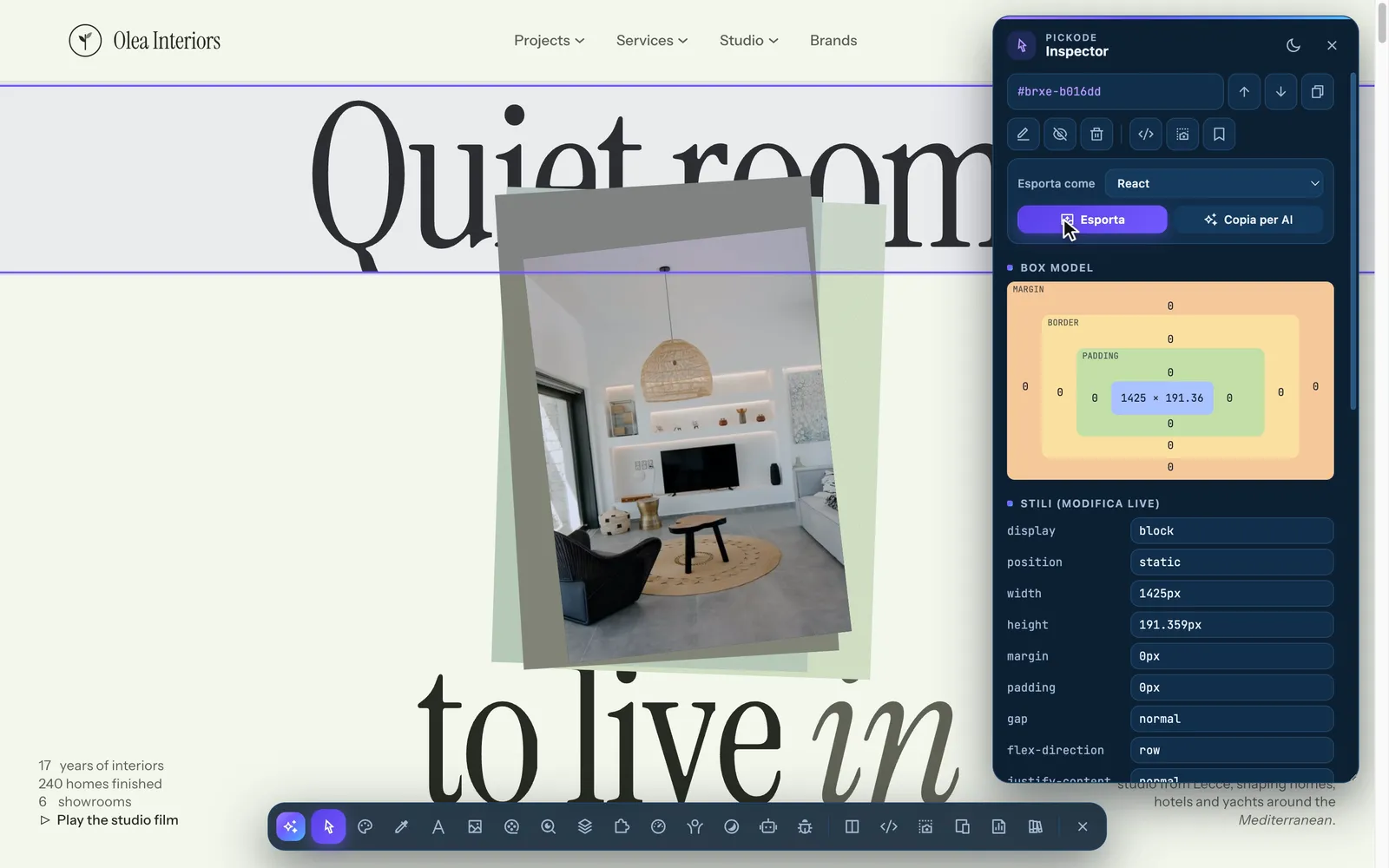
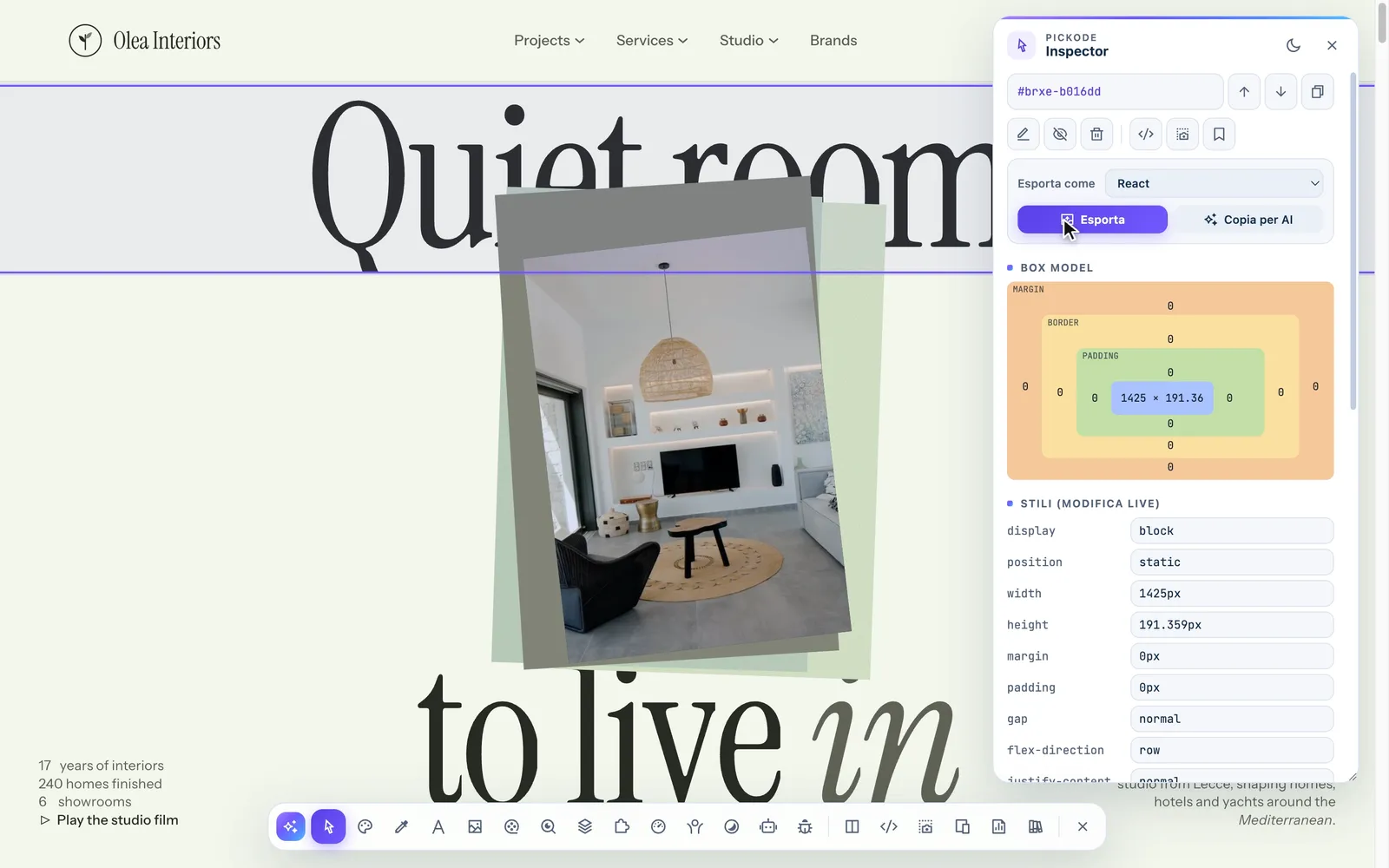
Pickode is a browser extension that works as a website inspector on any page: press Alt+I, hover an element and you see its box model with a tooltip of dimensions, fonts, colors and WCAG contrast. Click it to edit properties live, move to its parent or children, copy its selector or HTML, or save your changes as CSS for that site. The same toolbar opens the color picker, font finder, responsive tester and debug tools.
How it works
Inspector in three steps.
 01
01Open the inspector
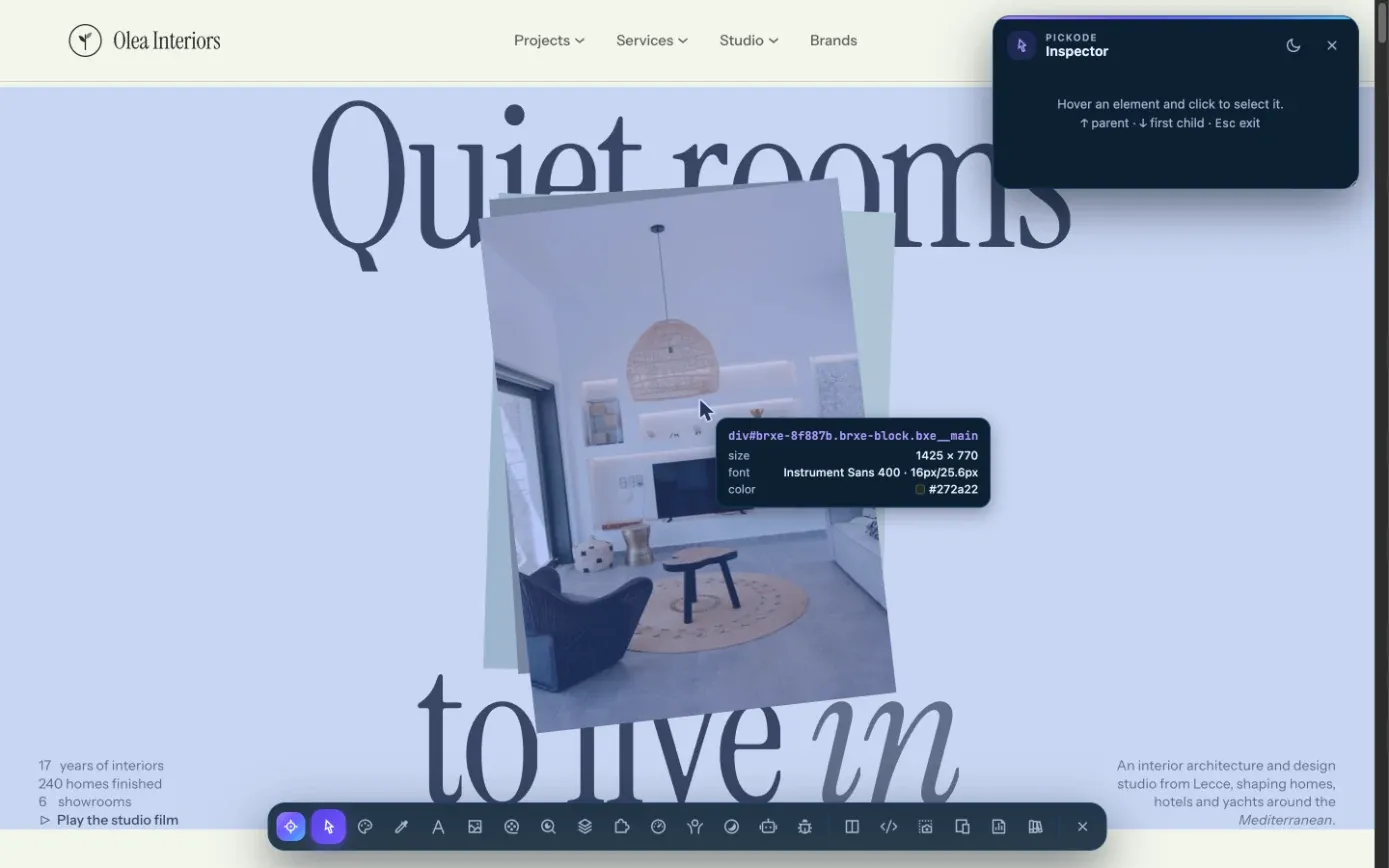
Press Alt+I on any website. Hover an element to see its box model and a tooltip with size, font, colors and contrast.
 02
02Select and edit
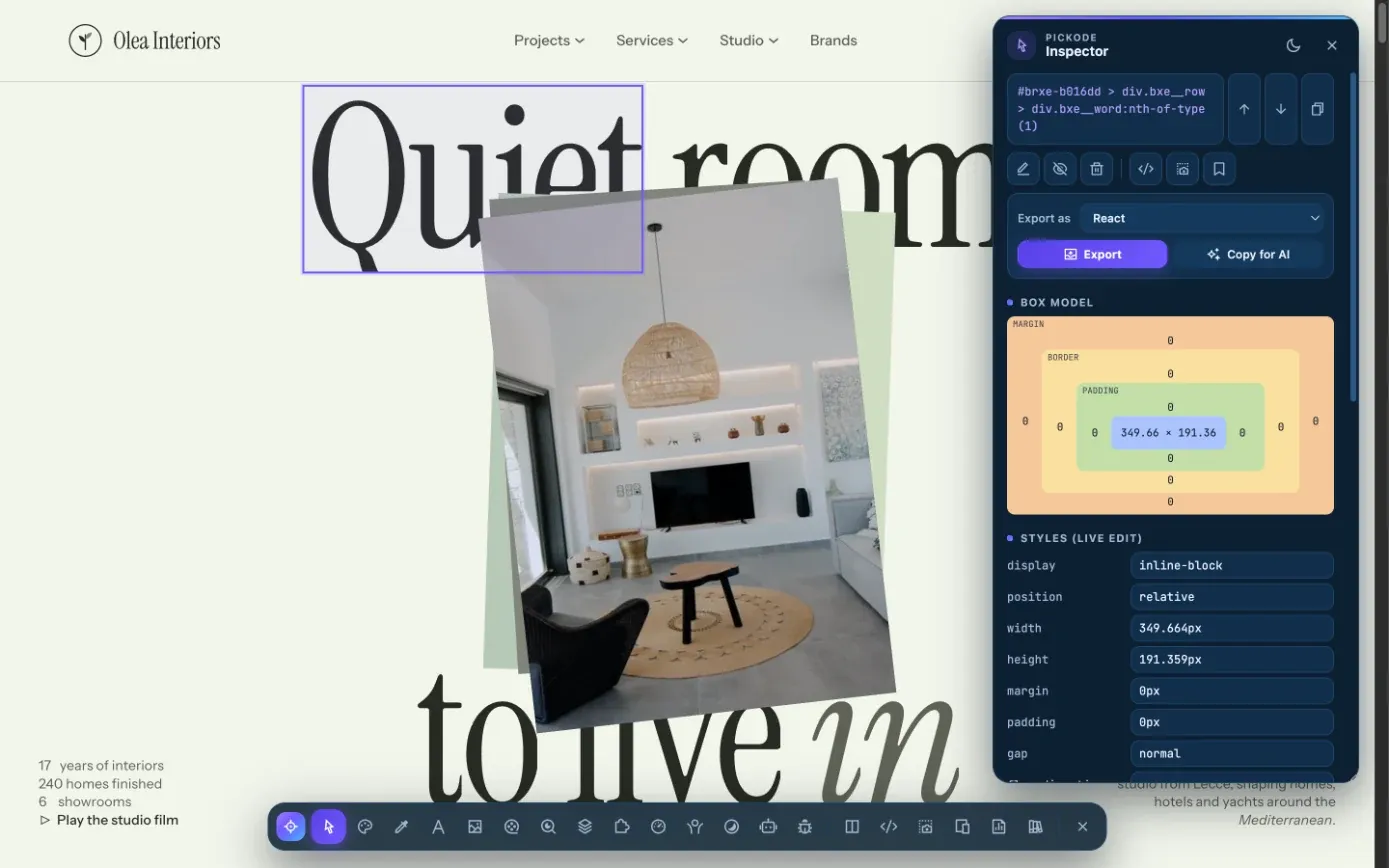
Click to select. Change property values live with the ↑/↓ arrow keys, edit the text, hide or delete the element, or move to its parent or children.
 03
03Keep or export
Save your edits as CSS for the site, copy the selector or HTML, take a screenshot of the element or export it. Esc closes one level at a time.
What you get
One inspector, every design question answered.
Box model and live CSS editing
Tooltip with dimensions, font, colors and WCAG contrast. Edit values with ↑/↓, copy the selector and HTML, and inspect inside closed shadow roots too.
Measurements and grid
Hold Alt over an element to measure distances in px. Overlay a grid with columns, gutter, max width, margins and baseline, with Bootstrap, Tailwind and Bricks presets.
Saved CSS per site
"Save changes to site" stores your CSS for that domain and applies it again on every visit.
Color picker and palette
Every text, background and border color of the page in HEX, RGB or HSL, plus an eyedropper and palettes you can save.
Font finder
Families, weights and sizes used on the page and every
@font-faceit loads, also shown on hover in the inspector tooltip.Responsive and debug
Test the page on up to 27 device frames, clear the data of the open site, hard reload and optimize its images.
Details
What the inspector includes.
- Tooltip
- Dimensions, font, colors and WCAG contrast of the hovered element
- Live editing
- Property values changed live, with ↑/↓ on the values; text editing; hide or delete
- Shadow DOM
- Works inside closed shadow roots too
- Measurements and grid
- Distances in px while holding Alt; grid with columns, gutter, max width, margins and baseline; Bootstrap, Tailwind and Bricks presets
- CSS per site
- CSS saved per domain and reapplied on every visit — 1 site free, unlimited with Pro
- Shortcuts
Alt+Iopens the inspector,Esccloses one level at a time- Where it opens
- Floating panel over the page or the browser's Side Panel; dark, light or system theme; English and Italian
Questions
Questions about Inspector.
Is the website inspector free?
Yes. The inspector, box model, live editing, measurements and grid are free. Saved CSS per site is free for 1 site and unlimited with Pro.
Can I keep the changes I make live?
Yes. Use "Save changes to site" in the inspector: Pickode saves the CSS for that domain and applies it again every time you visit.
Does it work on components inside shadow DOM?
Yes. The inspector can enter closed shadow roots too.
Which browsers does it work in?
Chrome, Edge, Brave, Opera, Arc, Comet (Chromium) and Firefox 140+. The Side Panel is available where the browser supports it.
Do you collect my browsing data?
No. Everything runs in your browser. Only the license key is sent to our payment provider to verify it.
How can I inspect elements on a website without opening DevTools?
Press Alt+I and hover any element. Pickode shows the box model, dimensions, fonts, colors and WCAG contrast, and lets you edit properties live (↑/↓ on values), move to the parent or child, copy the selector and HTML, edit text, and hide or delete elements.
What is a web inspector used for?
A web inspector shows how a page is built — HTML, styles, box model, fonts and colors — so you can check values, debug layouts and try changes live. In Pickode it's also where you start exports, element screenshots and saved CSS per site.
Keep exploring
Everything in Inspector.
- Color pickerEyedropper and the full color palette of any page, in HEX, RGB or HSL. — Learn more
- Font finderEvery font family, weight, size and loaded @font-face on the page. — Learn more
- ResponsiveAny page on 27 devices side by side, with frames, rotation and synced scroll. — Learn more
- DebugClear the data of the open site, hard reload and optimize its images. — Learn more
Stop rebuilding. Start picking.
Install Pickode, open any site and press Alt+I.
Free · 7-day Pro trial · No account needed