Find out why a page won't get indexed
One verdict for Google and Bing, with the cause: HTTP response, redirects, noindex, robots.txt, canonical, sitemap, site variants and hreflang. Each problem comes with its fix. With Pro you check up to 25 URLs and send new or changed pages to IndexNow.
Free forever · 7-day Pro trial, no card · Chrome, Edge, Brave, Opera, Arc, Comet, Firefox
In short
Pickode is a browser extension with a Google index checker built into its SEO panel. It answers one question: is there a technical obstacle to indexing this URL on Google or Bing? It reads the page like a browser without cookies and checks redirects, noindex, robots.txt, canonical, sitemap, http/https and www variants and hreflang. Indexable doesn't mean indexed: only Google Search Console can tell you that, and the panel says so. The check on the page you're on is free. Several URLs and IndexNow are Pro.
How it works
Indexing and IndexNow in three steps
 01
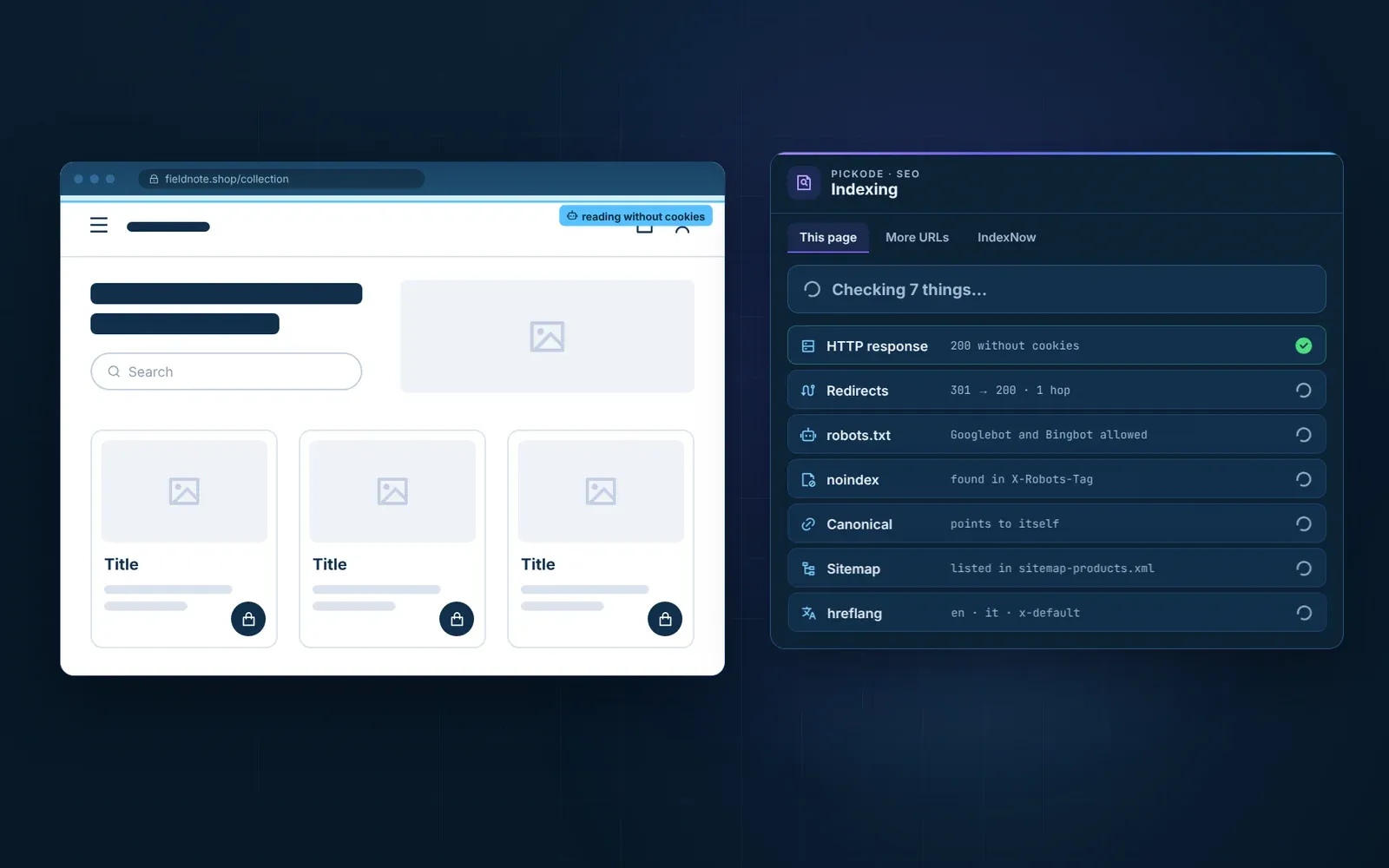
Open the SEO panel
Open any page, go to Pickode's Analyze section and open SEO. The line at the top already says something like "Indexing: Indexable · Google ✓ · Bing ✓".
 02
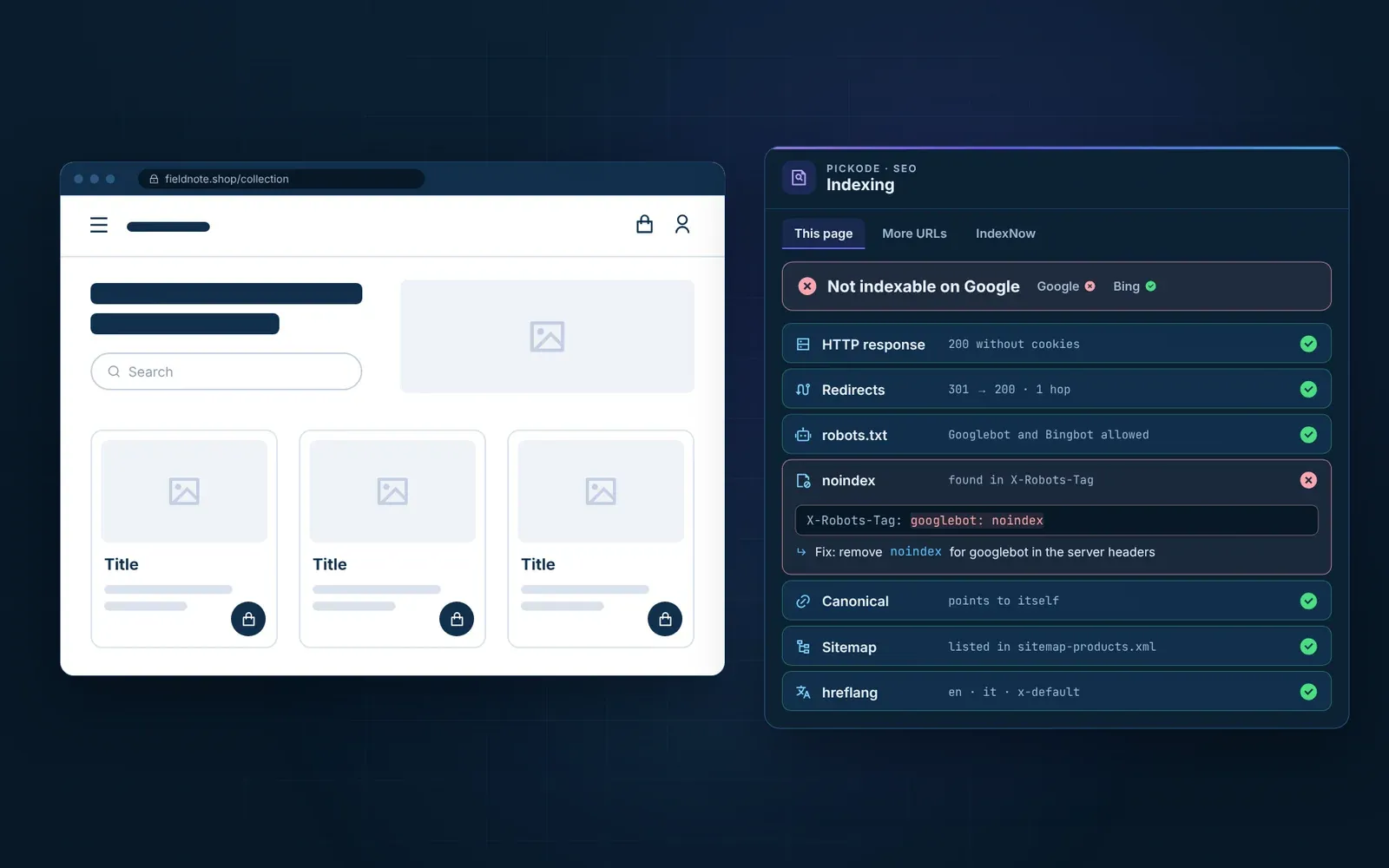
Read the verdict and the fixes
Click that line to open the Indexing view. Every check shows what it found and, if something's wrong, how to fix it.
 03
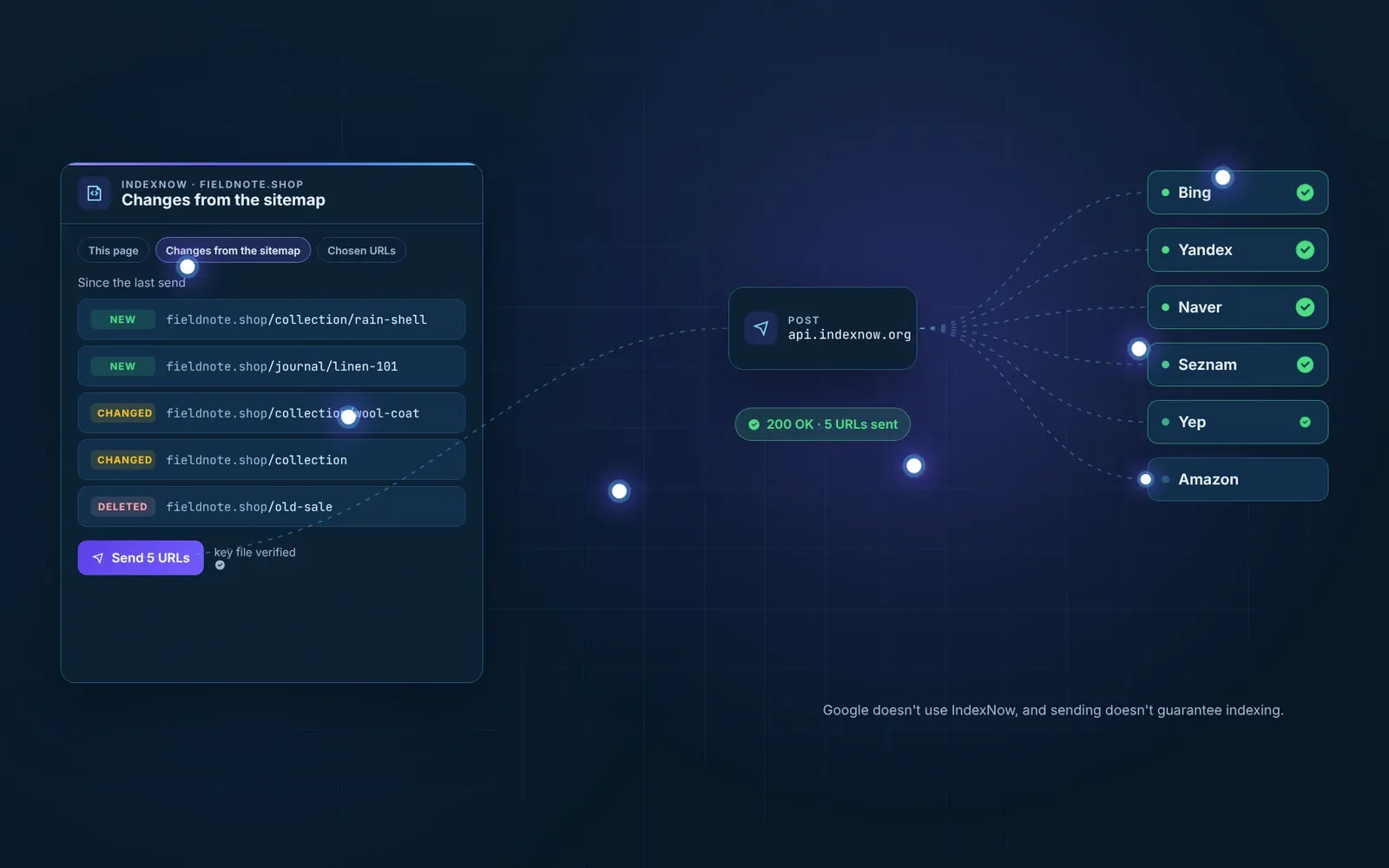
Tell IndexNow what changed
With Pro, open the IndexNow tab, set up the site key once, then send this page, a list of URLs or the new and changed pages from the sitemap.
What you get
An indexability checker that names the cause
One verdict, Google and Bing apart
Indexable, Indexable with warnings, Indexed as another URL, Not indexable on Google or Bing, Not indexable, or Needs checking when the site doesn't answer or blocks bots.
Response and redirects without cookies
The HTTP response without cookies, compared with what your browser got, so you spot pages visible only with a session. Redirect chains with codes, 302/307, loops and HTTPS to HTTP.
noindex wherever it hides
noindex and none in the robots, googlebot and bingbot meta tags and in X-Robots-Tag, also when JavaScript adds or removes them, plus an expired unavailable_after.
robots.txt, canonical and sitemap
robots.txt for Googlebot and Bingbot with the rule that blocks, canonical problems and the page it points to, and whether the URL is in the sitemap (indexes and .xml.gz followed, up to 60 files).
Site variants and hreflang
http/https and www variants that redirect or serve duplicates, hreflang codes, self-reference, x-default and return links for up to 8 languages.
IndexNow from the browser (Pro)
Generate or reuse a key, verify the key file, then send up to 10,000 URLs of the same site at a time to Bing, Yandex, Naver, Seznam, Yep and Amazon.
Several URLs and client report (Pro)
Check up to 25 URLs, load them from the sitemap and export a CSV. Indexing is also an optional section of the client report.
Details
What the indexing check and IndexNow do
- Verdicts
- Indexable · Indexable, with warnings · Indexed as another URL · Not indexable on Google or Bing · Not indexable · Needs checking
- Server response
- HTTP response without cookies compared with the browser's, redirect chain with codes, 302/307, loops, HTTPS to HTTP, soft 404
- Robots directives
- noindex/none in meta robots, googlebot, bingbot and
X-Robots-Tag, added or removed by JavaScript, expiredunavailable_after - robots.txt
- Rules for Googlebot and Bingbot with the blocking rule, robots.txt answering 5xx or 429
- Canonical and sitemap
- Canonical in HTML,
Linkheader or after JavaScript, conflicts, target page status; sitemap presence with indexes and .xml.gz, up to 60 files - Variants and hreflang
- http/https and www variants; hreflang codes, self-reference, x-default, return links up to 8 languages
- More URLs (Pro)
- Up to 25 URLs, 3 at a time, "Load from sitemap", CSV. No variant or hreflang return link checks
- IndexNow (Pro)
- Key file check, sources "This page", "Changes from the sitemap" and "Chosen URLs", up to 10,000 URLs per submission, responses explained, last 8 submissions shown, optional check every 12 hours
- Plan
- Check of the page you're on free; More URLs, IndexNow and the report section in Pro
"Indexable" means no technical obstacle. It doesn't mean the page is in Google's index: only Search Console knows that.
Questions
Questions about Indexing and IndexNow
Does Pickode tell me if Google has indexed my page?
No. It tells you whether something technical stops the page from being indexed. To know if it's actually in Google's index, use URL Inspection in Google Search Console. The panel says this too.
What's IndexNow, and does Google use it?
IndexNow is a protocol that tells search engines right away that pages are new, changed or deleted. Bing, Yandex, Naver, Seznam, Yep and Amazon use it. Google doesn't. Sending a URL doesn't guarantee indexing.
How do I set up the IndexNow key?
Generate a key (32 random characters) or paste the one you already use, for example from Rank Math. Download the key file, upload it to the site root, then press "Verify the file". If it fails, Pickode tells you why: 404, redirect to another host, an HTML page instead of the key, or different content.
I already use an SEO plugin that sends to IndexNow. Do I need this?
Probably not. If Pickode sees Rank Math, SEOPress, All in One SEO or Microsoft's IndexNow plugin, it warns you that the plugin may already send, because duplicate submissions use up the site's quota. You can use the same key. Pickode only sees plugins that leave traces in the frontend.
Does Pickode send URLs to IndexNow automatically?
No. The optional automatic check reads the sitemap every 12 hours while the browser is open and shows on the Pickode icon how many pages are new or changed. You decide when to send.
What leaves my browser?
The check makes GET requests without cookies to the site you're analyzing. When you press send in the IndexNow tab, the site name, the key and the page addresses you chose go to api.indexnow.org. Nothing goes to a Pickode server. In Firefox, the first submission asks for your consent.
Is the indexing check free?
Yes, for the page you're on. Checking up to 25 URLs with CSV, IndexNow and the Indexing section of the client report are Pro.
Keep exploring
Related features
- ProClient reportOne HTML report with scores, priorities, SEO, speed, accessibility, GEO and technologies., Learn more
- GEO · AI searchAI search readiness score, robots.txt rules for AI crawlers and a draft llms.txt., Learn more
- ProClient reportOne HTML report with scores, priorities, SEO, speed, accessibility, GEO and technologies., Learn more
Try it on the next site you open
Install Pickode, open any site and press Alt+I.
Free · 7-day Pro trial · No account needed