See how your link looks before you share it
Preview the page as a Google result and as a shared card on Facebook, X, LinkedIn, WhatsApp, Slack and Discord. Pickode reads the HTML the way social crawlers do and tells you what to fix. Free.
Free forever · 7-day Pro trial, no card · Chrome, Edge, Brave, Opera, Arc, Comet, Firefox
In short
Pickode is a browser extension with a free Open Graph preview in its SEO panel. It shows the page as a Google result, with title and description cut where their pixel width runs out, and as a shared card on Facebook, X, LinkedIn, WhatsApp, Slack and Discord. It reads the initial HTML without JavaScript and without cookies, like social crawlers do. It also downloads the share image and checks its size, ratio, format and weight. Every issue comes with its fix.
How it works
Social preview in three steps
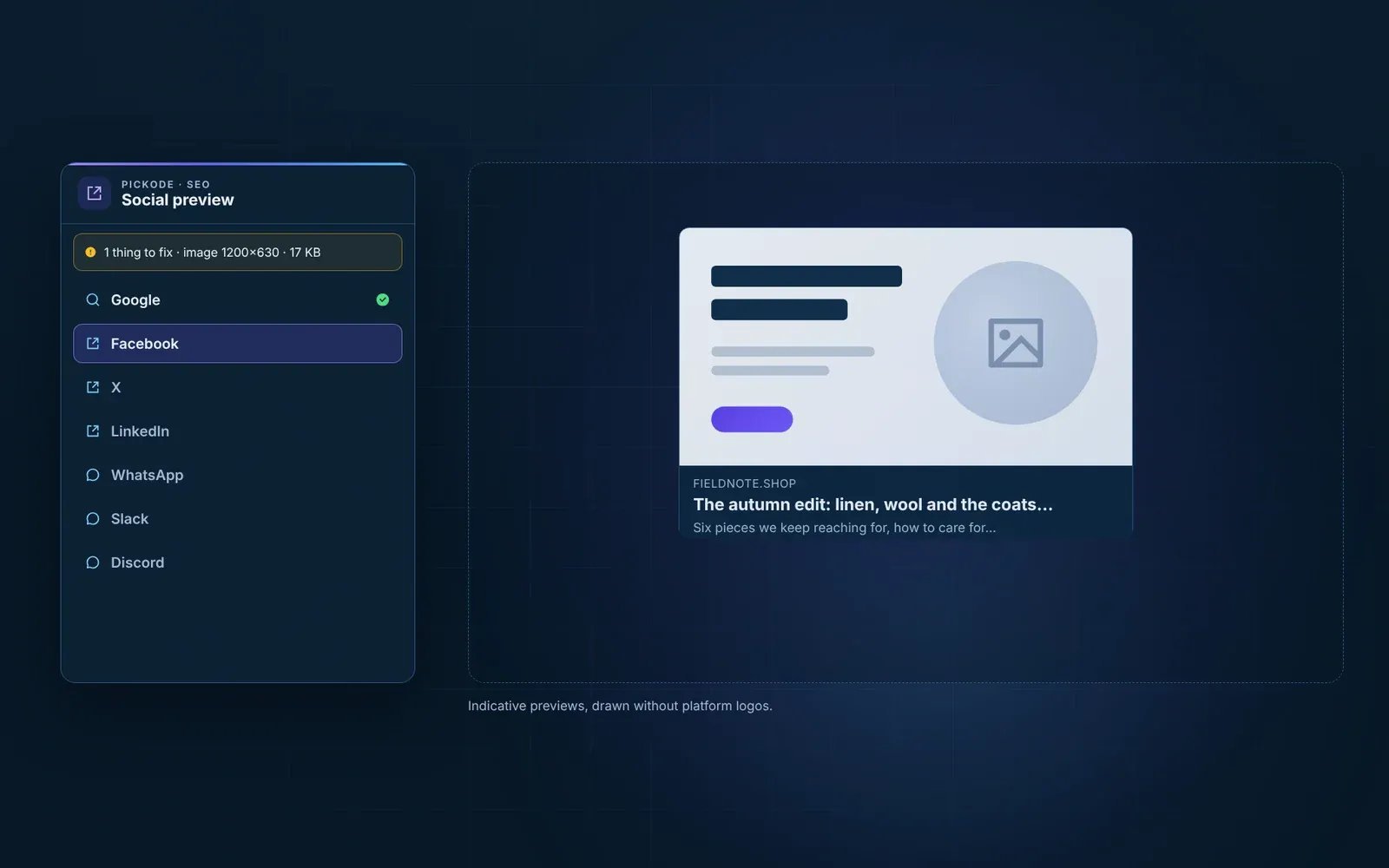 01
Open the social preview
Open any page, open Pickode's SEO panel and choose "Social preview".
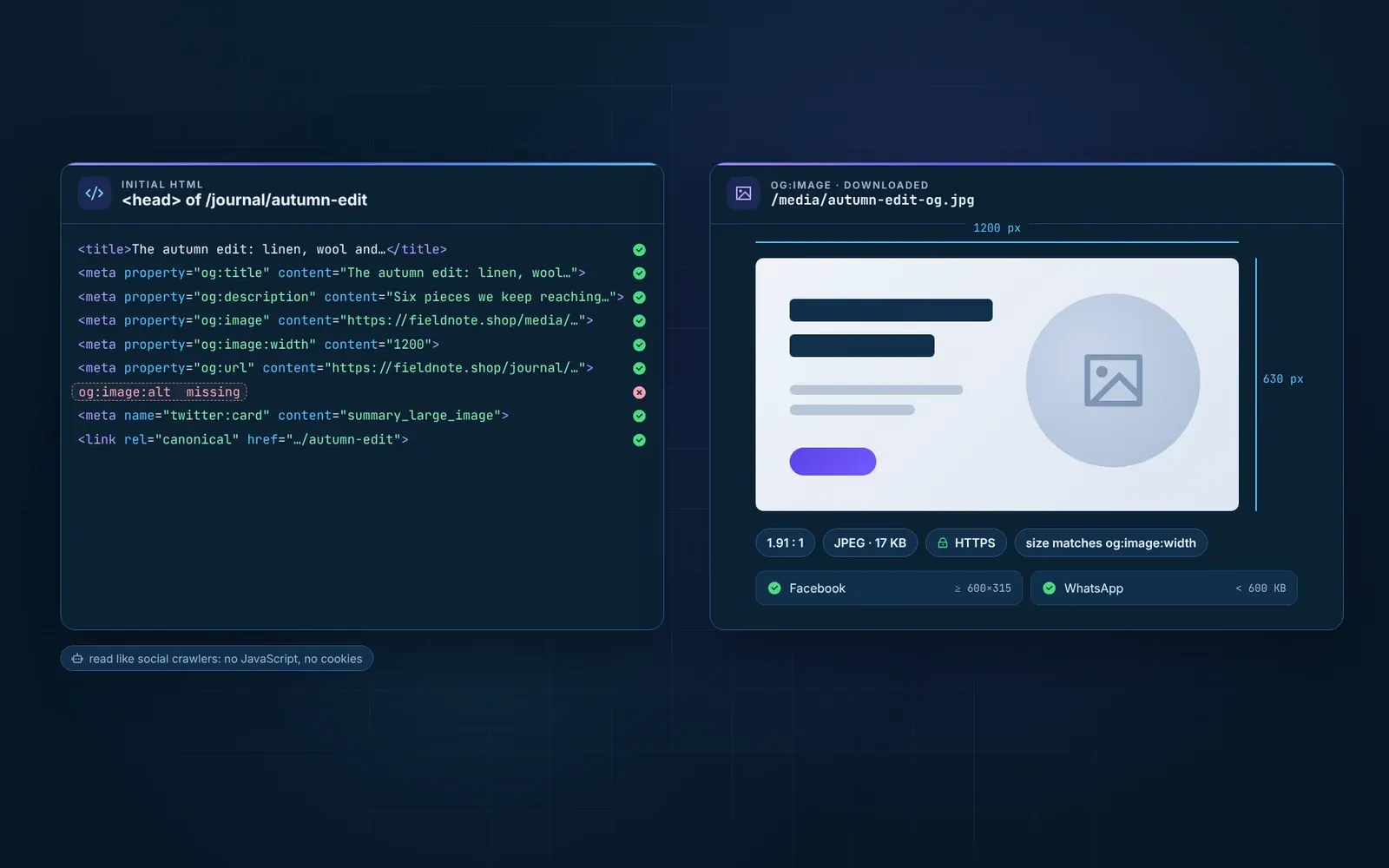 02
Check every platform
Switch between Google, Facebook, X, LinkedIn, WhatsApp, Slack and Discord. Each failed check tells you what to change.
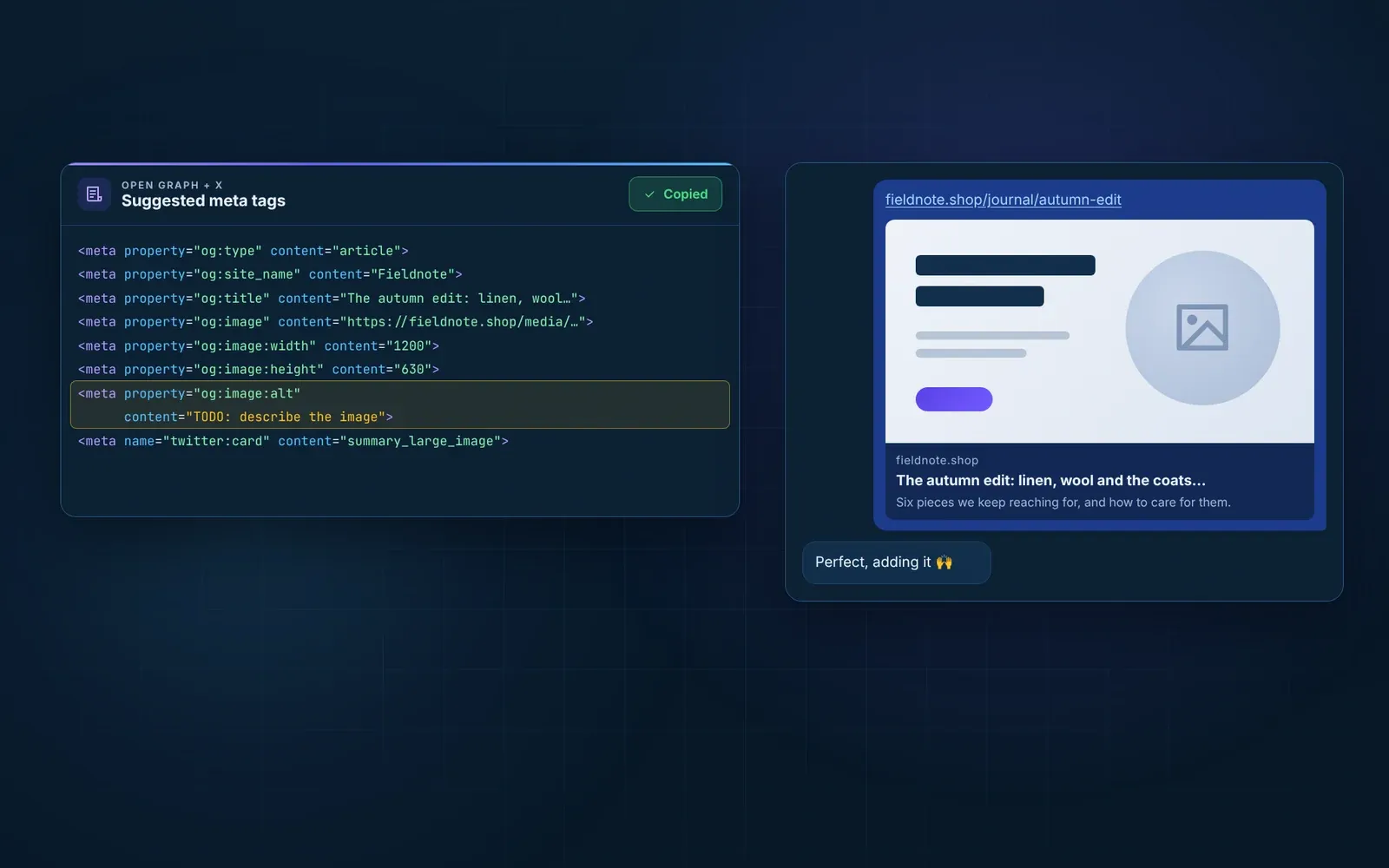 03
Fix and refresh
Copy the "Suggested meta tags" block and fill in the TODO lines. Then ask Facebook and LinkedIn to read the page again from their debuggers.
What you get
A meta tag checker that reads what crawlers really get
7 previews in one place
Google, Facebook, X, LinkedIn, WhatsApp, Slack and Discord. They're indicative previews, drawn without platform logos.
SERP preview in pixels
The title is measured against about 600 px and the description against about 920 px, then cut at that point. Favicon and site name are checked too.
What social crawlers read
Data comes from the initial HTML without JavaScript or cookies. Tags added only by JavaScript get flagged, because social crawlers never see them.
The share image, downloaded for real
Pickode checks that the og:image is reachable, its format, its real size against the declared one, its ratio and its weight for each platform.
Suggested meta tags
An Open Graph and X block with the page's current values and TODO where something's missing. Buttons open Facebook Sharing Debugger and LinkedIn Post Inspector.
In the client report
The Google result and the share card become a section of the client report, with fixes in the priority table. The report is Pro.
Details
What the social preview checks
- Previews
- Google, Facebook, X, LinkedIn, WhatsApp, Slack and Discord
- Data source
- Initial HTML without JavaScript and without cookies, as social crawlers read it; if the server doesn't answer, the tags of the open page
- Page
- Readable without cookies, tags outside the
<head>,<head>beyond 300 KB (WhatsApp) - Open Graph
- og:title, og:description, og:image (absolute, HTTPS), og:image:width/height against the real size, og:image:alt, og:url against the canonical, og:type, og:site_name, duplicate tags
- X
- twitter:card (valid value), twitter:image:alt, the X image when it's different
- Title about 600 px and description about 920 px with the cut point, square favicon of at least 48 px, site name
- Plan
- Free; the section in the client report follows the report (Pro)
Questions
Questions about Social preview
Is the Open Graph preview free?
Yes. Previews, checks and suggested meta tags are free. The section in the client report needs Pro, like the report itself.
Why does Pickode read the page without JavaScript?
Facebook, LinkedIn, WhatsApp and the other social crawlers don't run JavaScript. If your tags only show up after JavaScript, they never see them. Pickode flags those tags so you can generate them on the server (SSR, static generation or an SEO plugin).
What size should my og:image be?
1200×630 px works everywhere. Use JPG or PNG under 600 KB so it shows on WhatsApp too. Facebook, X, LinkedIn and WhatsApp don't accept SVG.
I fixed the tags but Facebook still shows the old preview. Why?
Facebook and LinkedIn cache previews. Use the Facebook Sharing Debugger and LinkedIn Post Inspector buttons to ask for a new read. They open in a new tab and you need to be signed in.
Does it work as a SERP preview?
Yes. The Google result shows the title and description cut at their measured pixel width, with site name, path and favicon. Google may still rewrite them.
Does Pickode send my pages to a server?
No. It only makes requests to the site you're checking, to read the HTML, the share image and the favicon. Nothing goes to a Pickode server.
Keep exploring
Related features
- ProClient reportOne HTML report with scores, priorities, SEO, speed, accessibility, GEO and technologies., Learn more
- ProClient reportOne HTML report with scores, priorities, SEO, speed, accessibility, GEO and technologies., Learn more
- GEO · AI searchAI search readiness score, robots.txt rules for AI crawlers and a draft llms.txt., Learn more
Try it on the next site you open
Install Pickode, open any site and press Alt+I.
Free · 7-day Pro trial · No account needed